
A layout for each customer's invoice, and a price list with photos — the recipe
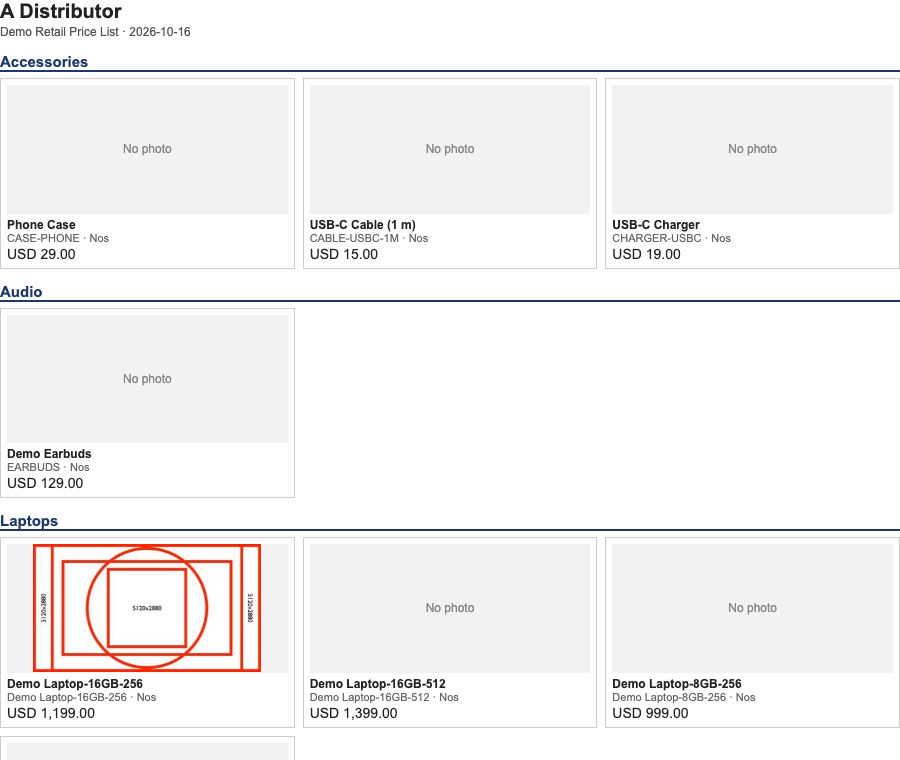
A price list with a photo for each item, as one page that prints to PDF.
A retailer or distributor wants the back-office sales invoice to look different for each of a few customers, and wants to send those customers a price list with a photo of each item. This recipe is for an iVendNext Partner, or the CitiXsys Consulting Team. The sample to copy is samples/s29_print_pack/.
When to use it. The customer asks for a different layout of figures the shop has already worked out, for a handful of named customers; or asks for a price list people can tell apart by picture. Not for the till's receipt (recipes/receipt_format.md), and not for a figure the invoice does not carry.
Part 1 — the invoice
It is Rung 4 of the guide's build ladder: a manifest with print formats on Sales Invoice (a standard record type, so the formats print; a format an app installs for its own record type is a different case, with a known defect on the shop's side: it can fail to print).
-
Choose how the layout is picked. Nothing in the shop picks a print format by customer: the Customer record has no print-format field (read on a sandbox: its 94 fields hold only Print Language). So either:
- one template that branches on the customer (
branch_manifest.json): the body readsdoc.customerand prints that customer's layout, and a plain layout for anyone else. The administrator makes it the invoice's default (Desk → Customize Form → Sales Invoice → Default Print Format); a manifest cannot. Or - one format for each customer (
each_manifest.json): a person picks the format in the print dialog and the e-mail dialog, every time. Nothing makes the right one print.
- one template that branches on the customer (
-
Copy the sample and edit
customers.json(the customers' record names, exactly),logo.pngandlayouts/*.html. Your formats' names start with your prefix (PP PRT …in the sample). -
Read only the invoice. A layout may use only what the invoice carries:
doc.company,doc.company_tax_id,doc.company_address_display,doc.customer_name,doc.address_display,doc.tax_id, the dates,doc.items(each line'sitem_name,qty,rate…),doc.taxes,doc.terms,doc.remarks,doc.po_no. Print each amount as the document formats it,doc.get_formatted("grand_total"), and work nothing out. Read the field list of Sales Invoice on your shop first (/api/resource/DocType/Sales Invoice) and name only fields that exist. -
Build and check:
python3 samples/s29_print_pack/build.py python3 tools/manifest/validate.py samples/s29_print_pack/branch_manifest.json -
Install one package, on a sandbox first (
recipes/manifest.mdstep 4), set the default (branch package), and print a draft invoice for each customer and for a stranger, with tax on it. Every layout's net total, tax and total must equal the invoice's own. ⚠ Once the branch format is the default, every customer's invoice uses it and a customer not incustomers.jsongets the plain layout: copy what your current default carries (tax numbers, tax lines, market lines) into it first.
What a template cannot do
A print template cannot read other records: it may not list a document's rows, look up a price or call a helper. The shop gives no reader a kit template may call: ask for P-TEMPLATEHELPERS (row and value readers under an iVendNext name). The consequence for part 2 is below.
Part 2 — the price list with photos
-
Keep the photos in the shop. Attach each item's photo to the item and set its Image field (uploading a file does not set it, and an item without the field is a grey box). The page loads nothing from outside the shop, and the program uses only a photo the shop itself serves (a redirect to another host is refused): a PNG, JPEG, GIF or WebP up to 800 kB.
-
Make a key that can read Item Price, Item and files, on your sandbox or the customer's shop.
-
Run the program, once for each distributor and list:
BASE=https://<shop> KEY=<api key> SECRET=<api secret> \ python3 samples/s29_print_pack/catalogue.py --price-list "<list>" --name "<distributor>" --out price_list.html --csv price_list.csv -
Open the page in a browser and print it to PDF (A4 is set by the page). The spreadsheet file holds the same rows (group, code, name, unit, currency, rate, photo yes or no).
-
Read the lines the program prints at the end: each item that got a grey No photo box and why (no photo, a photo the shop would not give, too big, not a picture, kept outside), and each disabled item left out.
A print format on the price list would be the shop's own way, but it cannot list the price rows without the reader above, so the program is the route today. P-TEMPLATEHELPERS is the request that would change that.
Limits
- The back-office sales invoice only; the till's receipt is separate.
- A layout of your own gets none of our later fixes to the shop's own invoice format.
- A draft, a cancelled invoice and a return print like any invoice (no mark, the same title); labels are English; one logo serves every company on the site.
- Switching packages is an update at a higher version; removing the package also removes the default setting that named it.
- Nothing picks a format by customer unless the template does; a renamed customer falls to the plain layout.
- The price page is a file: run it again when prices or photos change. General prices only (a price made for one customer, supplier or batch is skipped), valid today; a disabled item is left out and listed.
- Photos over the size limit or of another kind get a grey box and are reported; the program does not shrink a photo.
Technical notes
Proven on a sandbox, 2026-10-16, iVendNext POS app 2.0.0.650, in two passes (the second on the committed files): both packages installed and removed; one template printed layouts A, B, C and the plain layout for four draft invoices, with no tax and with two tax lines (net, tax and total equal the booked ones in every layout); the default set on the invoice made a print with no format named choose the layout by customer, and removing the package removed that default; the per-customer set printed each format on its own invoice; the price list ran against 21 prices with photos on two items and a photo file that no longer exists (a grey box and a report line, the run finishing), opened in a browser (photos loaded, no outside request) and printed to a 3-page A4 PDF; a print format on the item showed its photo in the print and in the shop's PDF. Not run: a submitted invoice, a return, the print and e-mail dialogs and Customize Form as screens, the invoice as the shop's own PDF, right-to-left text, a list of 500+ items. The tests and their canaries are in samples/s29_print_pack/tests/.
Needs this serves
- A layout of its own for each of a few distributors' invoices — Ready, with limits (5)
- A price list as a document with a photo for each item — Ready, with limits (4)