
Your own screen inside the shop's frame (a partner page) — the recipe
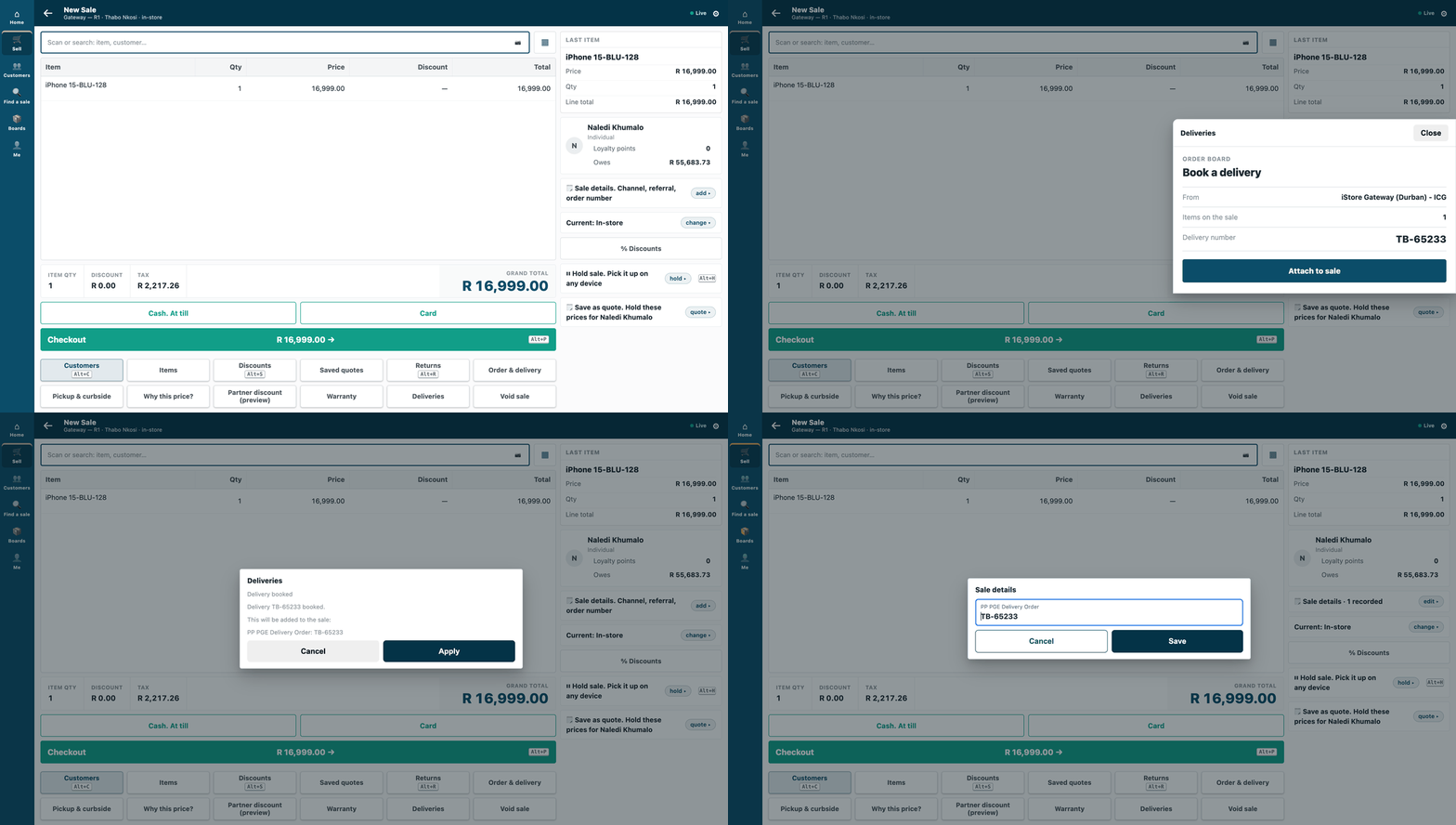
A cashier presses Deliveries on a sale; the partner's order board opens over the sale and puts the delivery number on it.
A partner page is your own screen, served from your own server, that the shop shows inside its frame: a delivery partner's order board on the till, a console in Desk. Use it when your work needs its own screen beside the shop's. Reference implementation: samples/s17_partner_page/ — an order board.
How it differs from an app inside the shop. Nothing of yours runs inside the shop. Your page stays on your server and the shop frames it: on the till (counter and tablet) as a sheet over the sale, in Desk as a page for a record. The frame keeps your page on its own origin, so it cannot read the shop's screen, session or storage. The phone shows no app keys, so no page either.
Steps
-
Declare the page in your manifest, with what it may answer on the till and who may open it in Desk:
"allowed_urls": ["https://your.server/board/"],
"sale_attributes": [{"name": "PP PGE Delivery Order"}],
"extension_subscriptions": [{"key": "board", "point": "page", "label": "Deliveries",
  "endpoint_url": "https://your.server/board/", "page_placement": "Till key and Desk page",
  "page_roles": ["Stock User", "Stock Manager"], "page_send_user": 0, "page_send_sale": 1,
  "page_returns_message": 1, "page_returns_sale_attributes": 1, "page_height": 45}]
Ask only for what your page uses: the consent text is built from these settings.
page_send_usersends the viewer's login (personal data). S17 does not need it, so it leaves it at 0.page_send_salesends the sale as the till holds it, which includes the cashier's login (operator) and the customer's id (personal data too). Send it only if your page uses the sale.
Look like the till. The context carries the till's own design tokens (
theme.vars: background, card, ink, muted text, lines, accent, corner radius, text scale). Draw with them the way the till's own sheets do: the till's type, a bold title, muted detail rows, one full-width button in the accent, and apage_heightthat fits what you show (S17 asks for 45, a share of the screen's height on the counter; a tablet shows a page full height). S17'sboard.htmlis the pattern.Your page must be on your own host. A page on the shop's own address is refused at install, in the product's words — "A partner page cannot be on this site's own address." — and leaves nothing behind.
-
What the shop does after install. It reads what the page will receive (the consent text is built from the declaration), ticks the consent and switches the page on. Then it places the Deliveries key in POS Studio → Apps for a theme (
recipes/point_handler.mdstep 4). If your address changes, the consent is cleared and the page cannot open until the shop ticks it again: the till's key says why it cannot open. Switching the page off and on again does not bring the consent back; only ticking it does.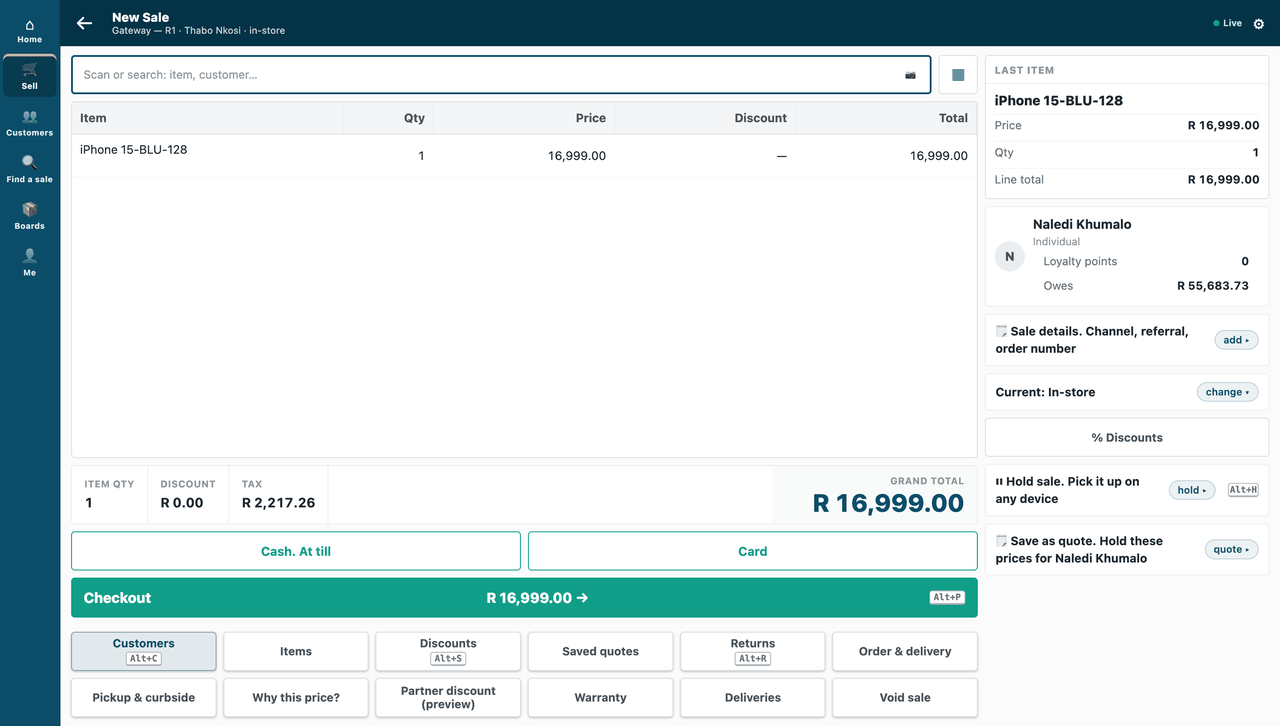
A sale on the till, with the Deliveries key beside the till's other keys.
-
Read the context on your server, never trust it in the browser. The shop opens your page with
#ctx=<payload>.<signature>in the address. The fragment never reaches a server log or aReferer. Your page's script reads it once, takes it out of the address bar, and sends it to your own server. Your server checks three things:- the signature: base64url HMAC-SHA256 of the payload's bytes, with the secret the installer handed back (
pp_pge:sub:board) — checked before you parse it; - the expiry:
exp, five minutes after it was made; - the nonce, once: a context already opened is refused, so a copied address cannot be opened again.
The payload says where it was opened: on the till, the store, the POS Profile and the sale as the till holds it (no money); in Desk, the record type and name. Show what it says with
textContent, never as markup. A forged context, an expired one, and one opened twice are all refused. - the signature: base64url HMAC-SHA256 of the payload's bytes, with the secret the installer handed back (
-
Answer the till once, server to server. Your server (never the browser, which never holds the secret) posts
{"ctx_nonce", "result"}to/api/method/ivendnext_mpos.api.page.submit. It is signed like every extension point's call:X-iVendNext-TimestampandX-iVendNext-Signature= base64 HMAC-SHA256 of<timestamp>.<body>. The result is the till's own vocabulary: amessageandsale_attributes(no money). Then your page maypostMessage({type: "ivendnext:done"})to the till. The till checks the message's origin and reads nothing else from it.Refuse a second answer yourself — the shop refuses it too, with "This page has already answered." The till picks up your answer once, and only the first one.
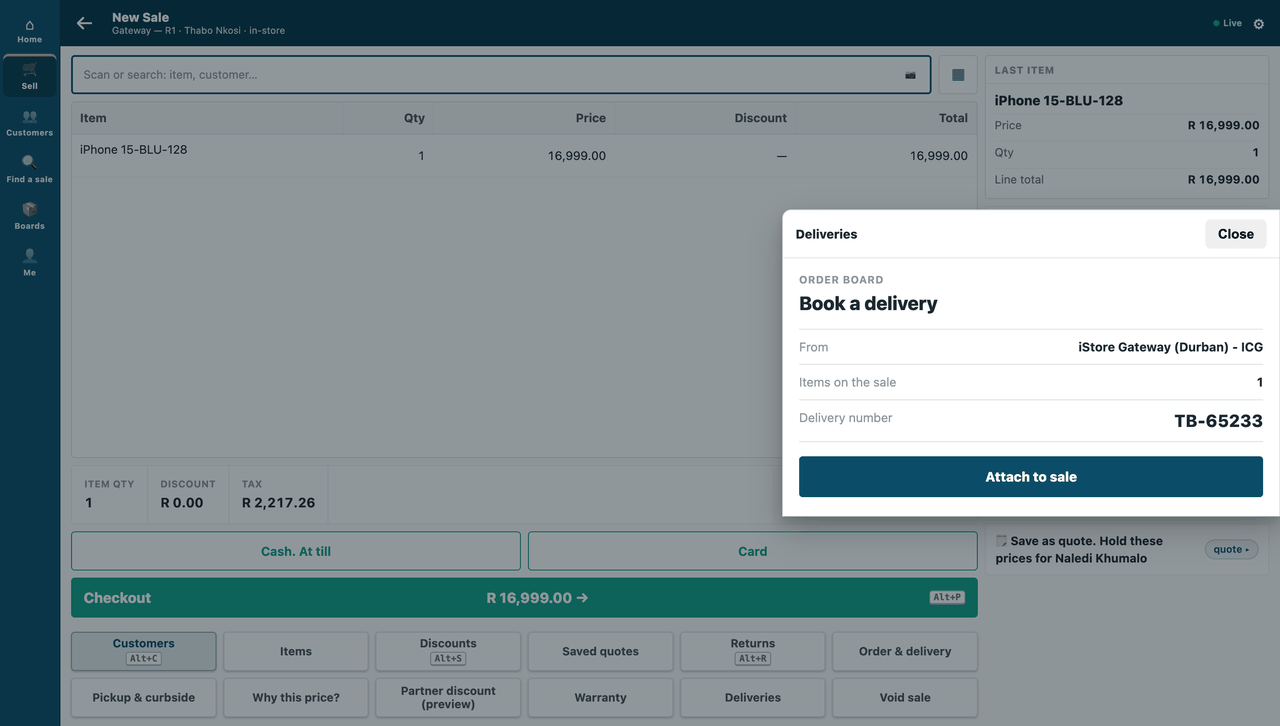
The board, framed as a sheet over the sale, drawn with the till's own tokens.
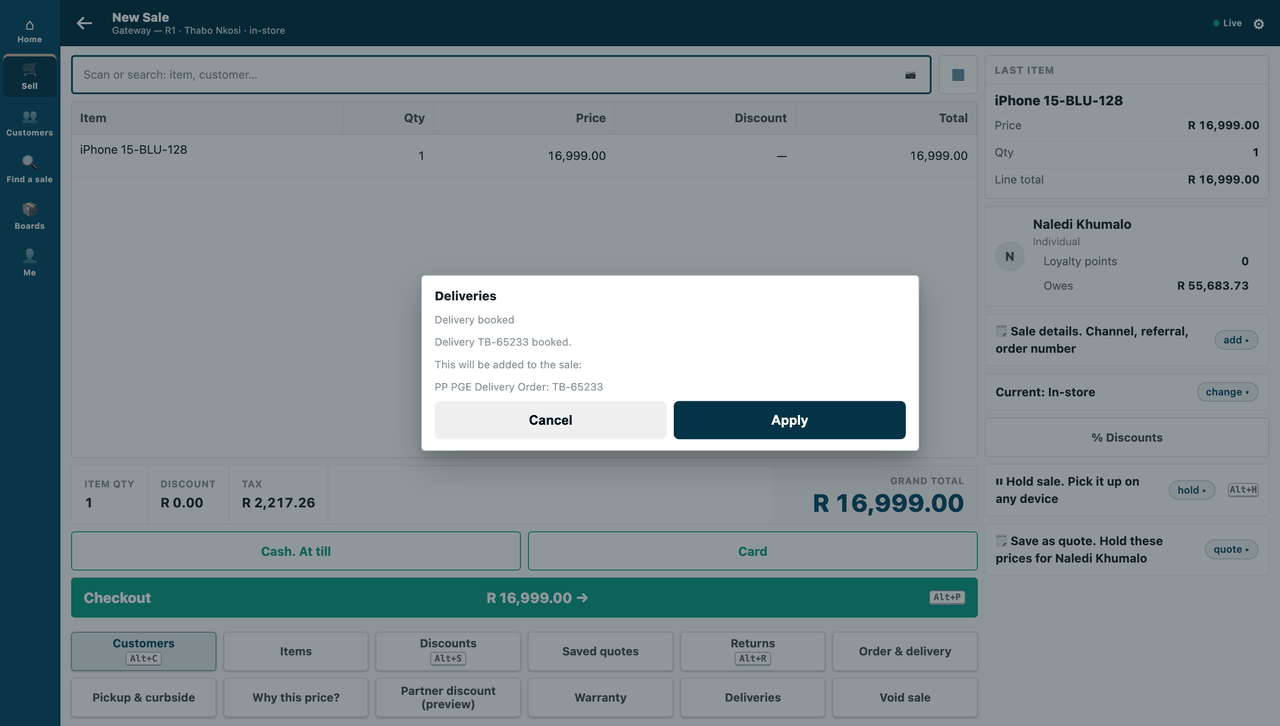
After Attach to sale: the till's own confirm sheet, with the sale detail and the number.
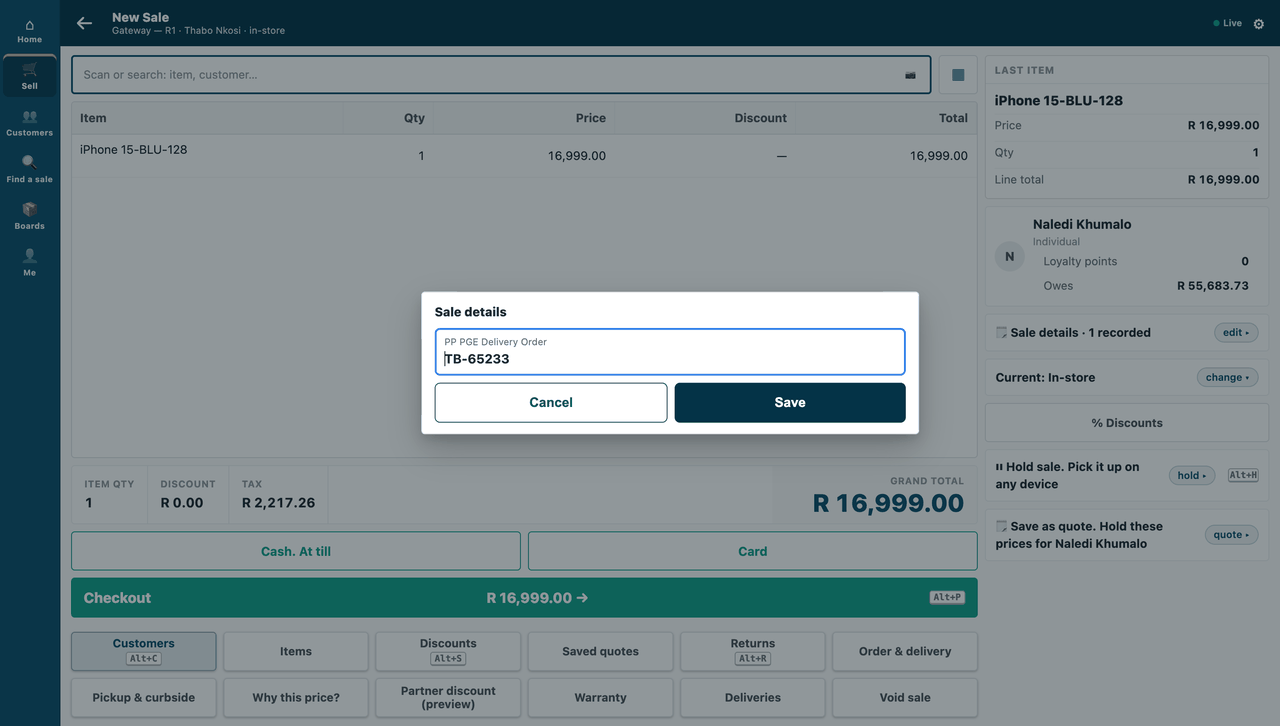
The delivery number is on the sale.
-
In Desk, the server checks who may open it.
/app/partner-page/<page>?doctype=Sales Order&name=…asks the shop for a context. The shop gives one only to a user who holds one of yourpage_rolesand may read that record. Anyone else is told "You can't open this page for that record."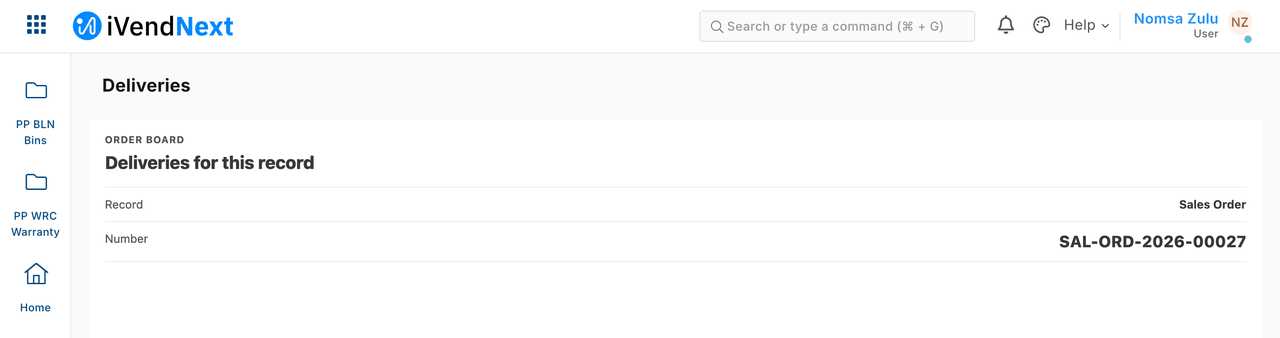
The same board in Desk, as a page for a Sales Order.
-
Test it. Unit-test the context check and the answer with contexts minted the way the shop mints them (
samples/s17_partner_page/tests/, 11 tests). Check your answers againstpartner_page.v1.schema.jsonin the extension-point library (S17's contract test needs the library's contract files beside it; where they are not, it skips and says so).
When your page is down, and offline
- If your page does not load within 10 seconds, the till says "⟨label⟩ isn't answering." and adds nothing.
- If the shop cannot be reached when your server answers, say so on your page and let the cashier press again. S17 then gives the context's one answer back, so the retry works.
- An answer after the context ran out is refused to you, in words.
- The page key is dimmed when the till is offline: a page is online only.
Technical notes
What was proven where
- Proven on our test bench on 2026-10-07.
- Own host, on the bench: the same manifest with the shop's own address was refused at install, in the product's words — "A partner page cannot be on this site's own address." — and left nothing.
- Consent, on the bench: changing the address cleared the consent and the till's key said why it could not open; switching it off and on again did not bring it back; ticking the consent did.
- The context, on the bench: the board saw the till, its store and this sale; the same context opened twice was refused; a forged context and an expired one (signed with the real secret, its time gone) were refused.
- The answer, on the bench: the board answered once; the till picked up the delivery order number and the message, once (a second pick-up found nothing). A second answer for one context was refused by the board; with the board's own check switched off, the shop refused it: "This page has already answered." The till still got the first answer only.
- Desk, on the bench: a Stock User got the context for an order of its own customer, and the board read the record from it; a user without the roles, and a Stock User without read on another customer's order, were both told "You can't open this page for that record."
- The 10-second timeout is the extension point's own rule, P-PAGE §5; not driven on our bench.
- Tests: the mutation canary removes the signature check and the tests go RED.
Screenshots
- Step 2, in a real browser (our test bench, 2026-10-07, iVendNext POS app at
8dc36aab8; frame: the till,/pos?frame=terminal, 1440 wide). - Step 4, in a real browser (our test bench, 2026-10-07, iVendNext POS app at
8dc36aab8; frame: the till, 1440 wide). - Step 5, in a real browser (our test bench, 2026-10-07, iVendNext POS app at
8dc36aab8; frame: Desk, 1440 wide).
Figures beside the run that measured them
Our test bench, 2026-10-07, run pp-20261007T044702Z-52374 (confirming …T043702Z-24249): the till's press, the framed page over HTTPS, one answer, one pick-up, the double answer refused on both sides, the Desk context and its two refusals, the address change — 19 of 19; the POS day the till opened was closed in the same test. Re-run after the restyle at page_height 45: pp-20261007T102048Z-49384, 19 of 19.