
Approvals by workflow, with a nightly export — the recipe
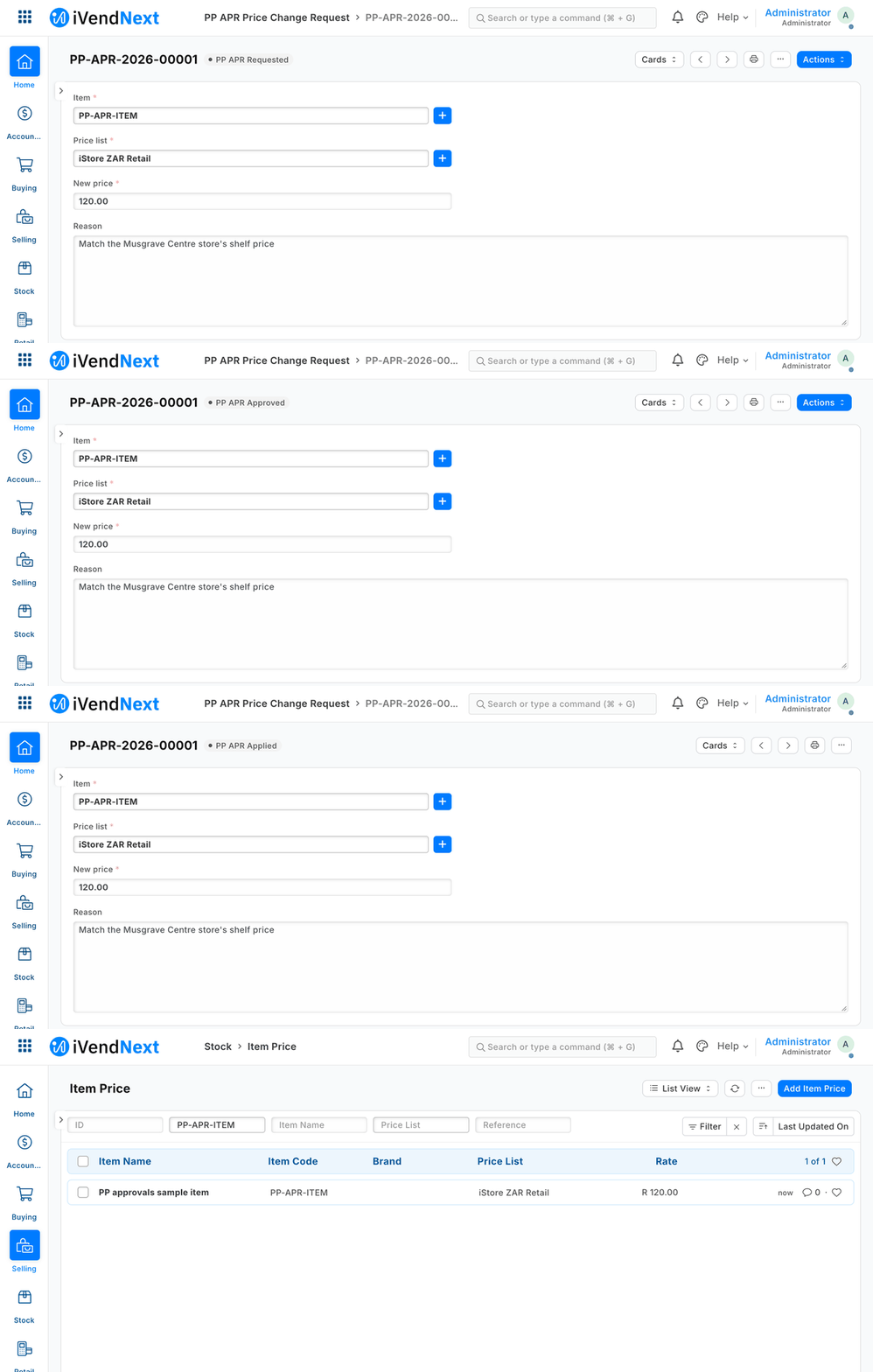
A price-change request is made, approved, then applied once by an outside service, and the price row changes.
This recipe moves a request — a price change, a write-off — through Requested → Approved → Applied, with the right person at each step, and writes a file of the day's requests every night. It is for a partner or a retailer's head office. Reference implementation: samples/s11_approvals/ (a manifest, an outside service, tests).
It uses a native workflow on the partner's own record type; the workflow never submits, cancels or changes a price itself. An outside service you run makes the change, once, after the approval.
When to use it. When a change to the shop's data needs a second person's yes before it happens.
Steps
-
Roles first. A manifest refuses a role the shop does not have. The sample names three: PP APR Requester, PP APR Approver, PP APR Applier. Use the shop's own manager roles in a real roll-out. ⚠ Never give one person both the requester's and the approver's role. The two-person rule rests on that, not on the workflow (see Know these limits).
-
Write the manifest (
samples/s11_approvals/manifest.json). It holds:- one record type, PP APR Price Change Request (item, price list, new price, reason), with change tracking on;
- a numbering rule;
- one workflow: four states (Requested, Approved, Rejected, Applied, all drafts) and four transitions, each allowed to one role. The approver approves, or rejects (from Requested, or from Approved — the way out of a request that was tampered with). The applier applies. No transition has a condition (the validator refuses code), and self-approval is off: the installer writes it off. iVendFramework's own default is on, so a workflow made by hand in Desk has it on. It guards the Approve action only.
- the rows: the requester reads, raises and writes (Desk needs write to fill in a new request); the approver and the applier read and write (the workflow's actions save the request); the shop's System Manager reads, reports, exports and prints, and cannot change or delete the trail through this row. A state's "who may edit" is a screen rule only: over the record API anyone with write can change a request in any state, which is why the service checks the history (step 5).
⚠ Write every right out — all nine (
read, write, create, delete, report, export, share, print, email). A permission row that leaves one out gets it ON. The manifest checker now refuses a row that leaves a right out, or writes one as anything but 0 or 1. -
Install it (
tools/manifest/apply.pyinstall;recipes/manifest.md). Uninstall exports the requests first. A reinstall leaves the schema exactly as the first install did. -
Give the service's role exactly one right outside the request type: read and write on Item Price. Write all nine rights out (
read, writeon, the other seven off), and give nothing on any other type. Then fence its user to the price lists it serves: a User Permission for the service's user on Price List, one per list, with Apply To All Document Types off and Applicable For Item Price. Without it the key can write every price row in the shop. Left on all document types (the form's default), the fence would also hide requests for other lists from the service and from the export, silently. -
Run the outside service (
samples/s11_approvals/approvals.py apply) with its own key, as often as you like (every minute, or on a trigger). For each Approved request, oldest first, it:- reads the change history;
- writes the price row only if it is not already the approved price;
- takes the workflow's Apply action, which moves the request to Applied.
It can be killed at any moment and run twice. A rerun after a crash between the price and the action finds the price done and only takes the action. An Applied request has no further action. If the workflow action fails after the price was written, the report says "THE PRICE IS ALREADY WRITTEN" and the next run takes the action.
The applier key is narrow: read and write on the request type, and write on the price rows of its own lists — nothing else. It reads a request's change history through the request (the form-load call checks the key's right on that request). So it needs no right on the shop's change-history records, which also hold other record types' old and new values. It cannot edit an item, read customers, sales or the change history, or raise a request of its own.
It refuses, and names why: a request whose item, price list or price changed at any time after it was raised — by the approver before approving, by anyone between the approver's look and the click, by anyone after; a request approved by the person recorded as raising it; a request with ten or more recorded changes (the shop shows only the latest ten, so the whole history cannot be checked).
⚠ Know these limits before you ship:
- The approval binds this service only. Any other role with write on price rows changes a price without it: the shop's own price-master roles, an AI assistant started with writes (S10), anyone in Desk. Take write on Item Price away from every role but the service's, or the approval is a suggestion.
- A leaked service key can change any price row of its lists, or mark an Approved request Applied without writing the price. The service itself only writes the one an approved request names.
- The shop's self-approval check covers only the Approve action. A person holding both roles who writes the state straight in is accepted by the shop (measured); the service then refuses the request, because who raised it is set once and cannot be changed (measured). Your own code that reads approvals must make the same check, so keep the rule in step 1: no one holds both roles.
In Desk, one request taken one step at a time by each person's own key:
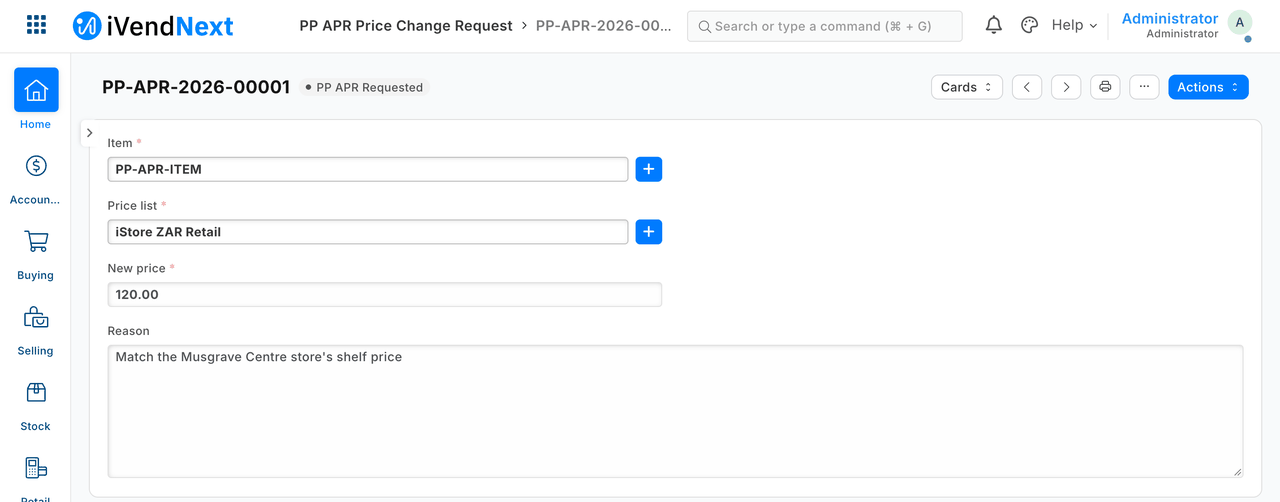
A requester asks: the item, the price list, the new price, the reason.
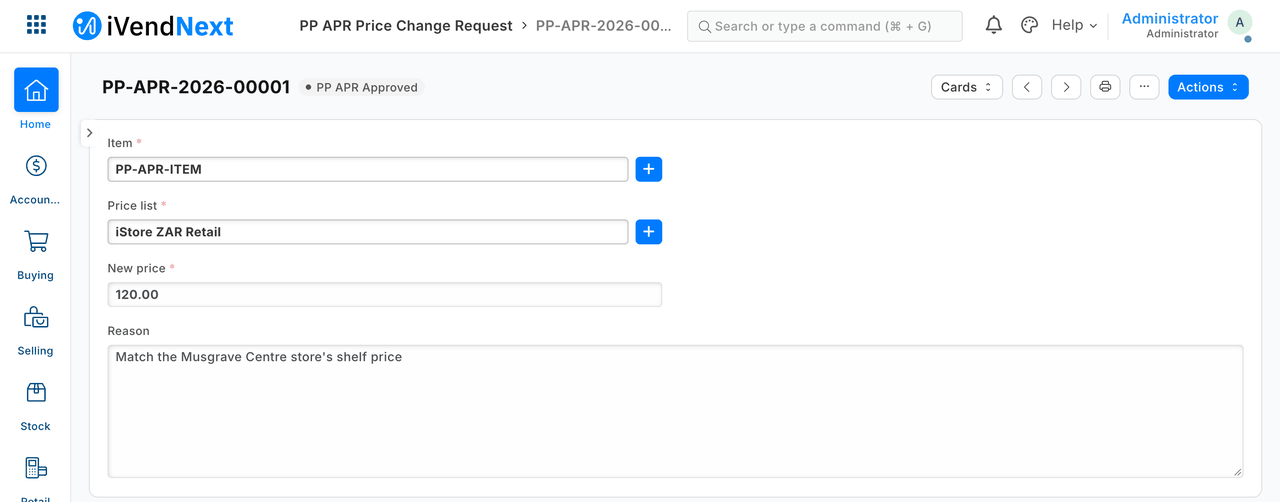
The approver approves.
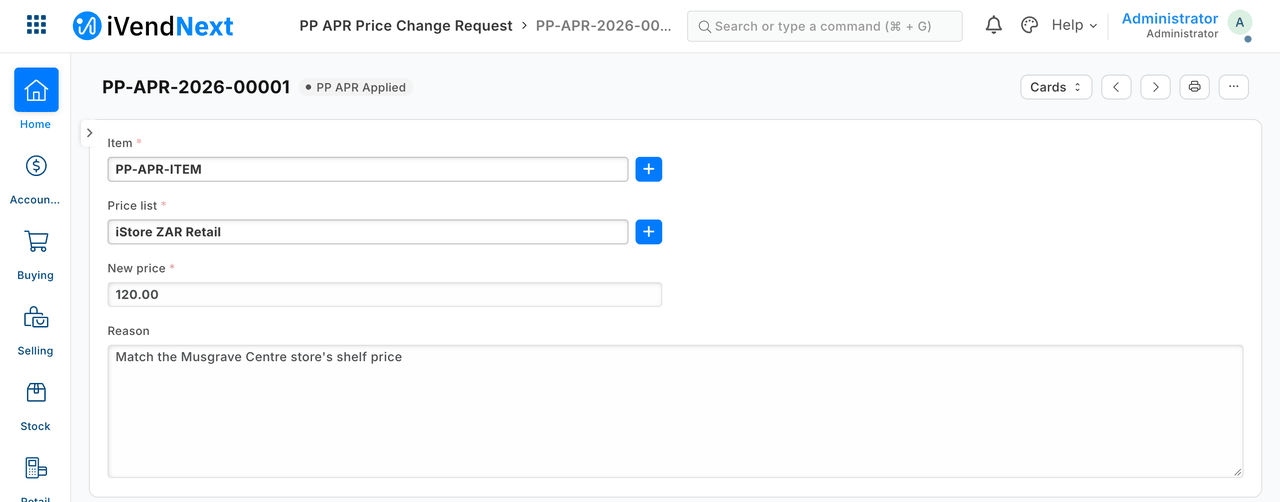
The service applies it, once.
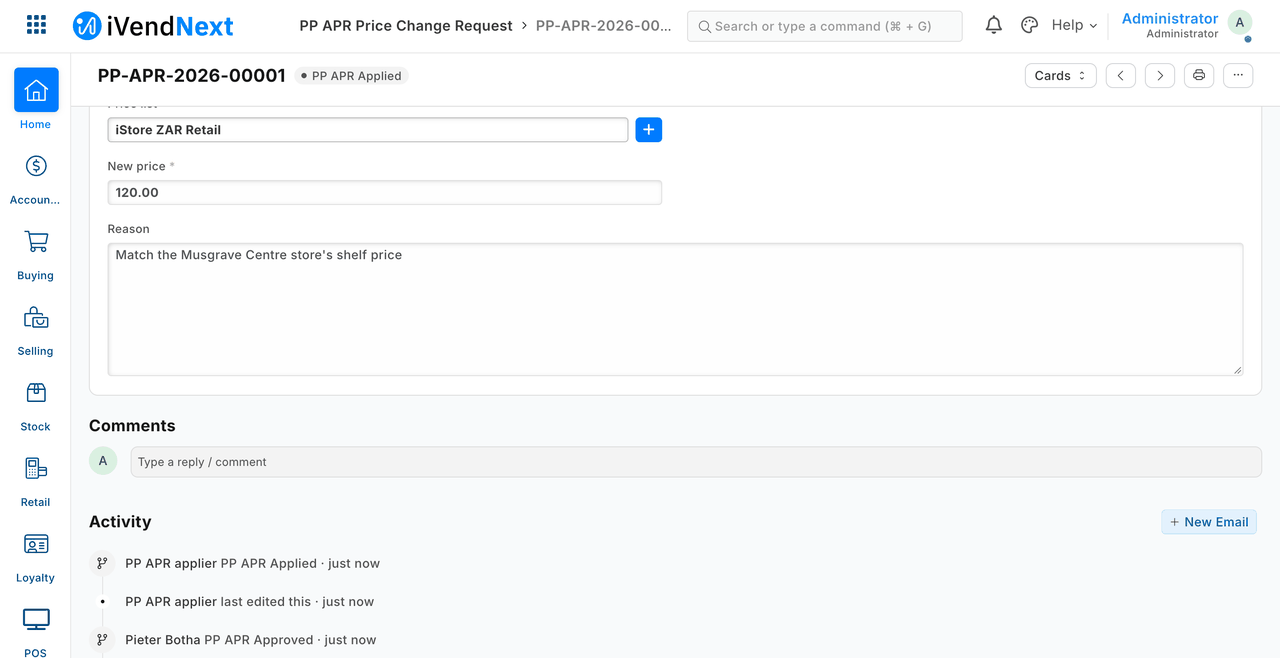
The trail: who approved, and that the service applied it.
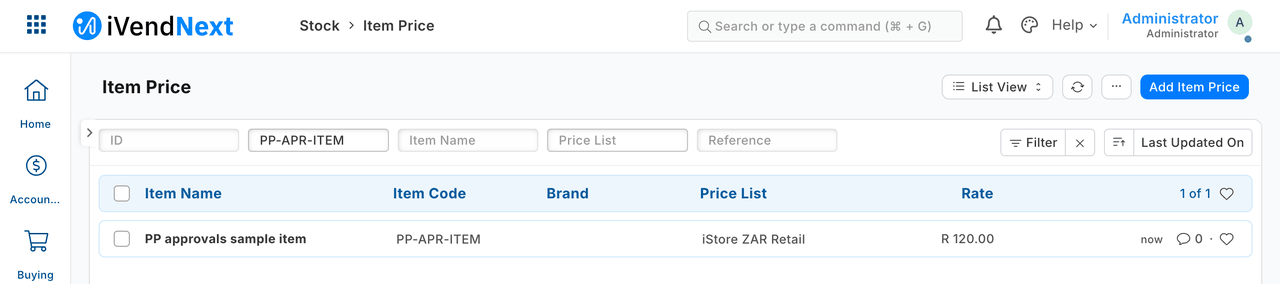
The shop's price row, now at the approved price.
-
Schedule the export (
approvals.py export --day <date> --out <folder>). It writes one CSV of the day's requests (created or last changed that day), with who made, approved and applied each. The same data always gives the same bytes. The day is the shop's day (System Settings → time zone), not your server's. Run it just after the shop's midnight for the day that ended, for example, on a server in the shop's zone:5 0 * * * cd /opt/partner-kit/samples/s11_approvals && BASE=https://shop.example AP_KEY=… AP_SECRET=… python3 approvals.py export --day $(TZ=Africa/Johannesburg date -d yesterday +\%F) --out /var/exports/approvals(on macOS:TZ=Africa/Johannesburg date -v-1d +\%F).Run it from the kit's own folder layout:
approvals.pyloads the kit's client fromtools/feed_client, two folders up. Name the shop's zone inTZ=: the line then exports the shop's previous day, whatever your server's zone. The day runs to its very last instant, fractions included. A request changed again on a later day is no longer in the earlier day's file if the export runs late. Each row shows the request as it is now; the approver is blank for a request with ten or more changes.
Editing a request after it is approved
The shop does not stop it. The workflow's "who may edit in this state" is a screen rule, not an API one: anyone with write on the request type — the requester, the approver, the applier — can change a request in any state. An edit after Applied changes the record, not the price, and the export then shows the edited figure. So the safeguard is the service's. It reads the request's change history and will not apply a request whose item, price list or price changed after it was raised. It names the change and leaves the request Approved. The approver then Rejects it (a transition from Approved), and the requester raises a fresh one.
What is refused, and why
- A role the shop does not have, or a transition with a condition: the manifest is refused, because a condition would be code.
- A permission row that leaves a right out: refused by the manifest checker, because a missing right is stored as ON.
- A requester approving, or setting the state by hand; the applier approving; a person with both roles taking the Approve action on their own request: refused by the shop. A person with both roles who writes the state in directly is accepted by the shop and refused by the service. Two people per change holds while no one holds both roles.
- A request changed after it was raised, approved by the person who raised it, with ten or more recorded changes, with no recorded approval, or with a missing or doubled price row: the service does not apply it and names why. One refusal does not stop the rest.
Technical notes
Notes moved from the steps
- Proven on our test bench.
- Step 2, measured: an applier role written as read/write could create requests until the manifest said
"create": 0, and a row ofreadonly was stored with all nine on. The sample states all nine on every row and the bench run checks all nine. - Step 4 (was step 3b): the bench checks the service role's one right outside the request type.
- Step 5: the applier key could not edit an item, read customers, sales or the change history, or raise a request of its own (all refused, proven).
- Step 5, the screenshots: our test bench, 2026-10-07; frame: Desk, 1440 wide. The price row reads 120.00. That a requester cannot approve is S11's tests', not the approval shot's. The GIF is built from the same screens, every frame cut above the activity lines.
- Step 4, measured (2026-10-08): before the fence the service's key could write a price row on another list; after it the same write was refused, and the service still applied a request on its own list.
- Step 5, measured (2026-10-08): a request with 9 recorded changes was applied; with 10 and 12 it was refused, and the shop's form-load call returned 9, 10 and 10 of them. A person holding both roles who wrote the state straight in was accepted by the shop and refused by the service; the approver's own edit before approving was accepted by the shop and refused by the service; a change of who raised a request was refused by the shop.
- Step 6, measured (2026-10-08): the line above in its macOS form (
date -v-1d), run by cron on a server outside the shop from a copy of the kit's folders, wrote exactly the shop's previous day (three requests, the approver named). The line as this recipe had it before (nocd, noBASE) failed under cron: the file was not found. - Editing after approval: the price was never 1.00. The guard was also proven on its own with an edit that nothing in the roles can stop (Administrator).
What was proven where
- Laptop, 15 tests (
samples/s11_approvals/tests/test_s11.py): applied once and a second run changes nothing; only Approved is touched; a crash between the price and the action is finished without rewriting the price; a request whose price changed after it was raised (by the approver before approving too), one approved by the person who raised it, one with ten or more changes, or one with no recorded approval, is not applied; a missing or doubled price row is not applied; one refusal does not stop the rest; the export holds exactly the day's requests, with the approver and applier, in the same bytes twice. - On our test bench, 29 checks (its own run, not in the kit): the roles (a requester cannot approve, nor set the state by hand; the applier's role cannot approve; a person holding both roles cannot take the Approve action on their own; writing the state straight in is accepted by the shop and refused by the service; who raised a request cannot be changed); the approver's own edit before approving is refused by the service; approval changes no price; the service applies once (price 120, one price version, a second run moves nothing); the kill-and-rerun case; the edit after approval; a rejected request is left alone; the applier's narrow rights; the nightly export (a request dated yesterday is left out); uninstall → reinstall leaves the schema as found (the removed requests' history is the one expected difference); the bench is back as found.
- ⚠ Not proven: two services at once (one per shop; no lock); a price row that does not exist yet (the service names it and applies nothing); many requests at once; approvals across companies (across stores: S14); an approver who is also the applier; a requester raising a request in Desk with the sample's rows (the screenshots' requests were raised through the API); the export's
TZ=on a server in another zone than the shop (both were in one zone; read from code).