
Reading iVendNext's events reliably — the event-feed recipe
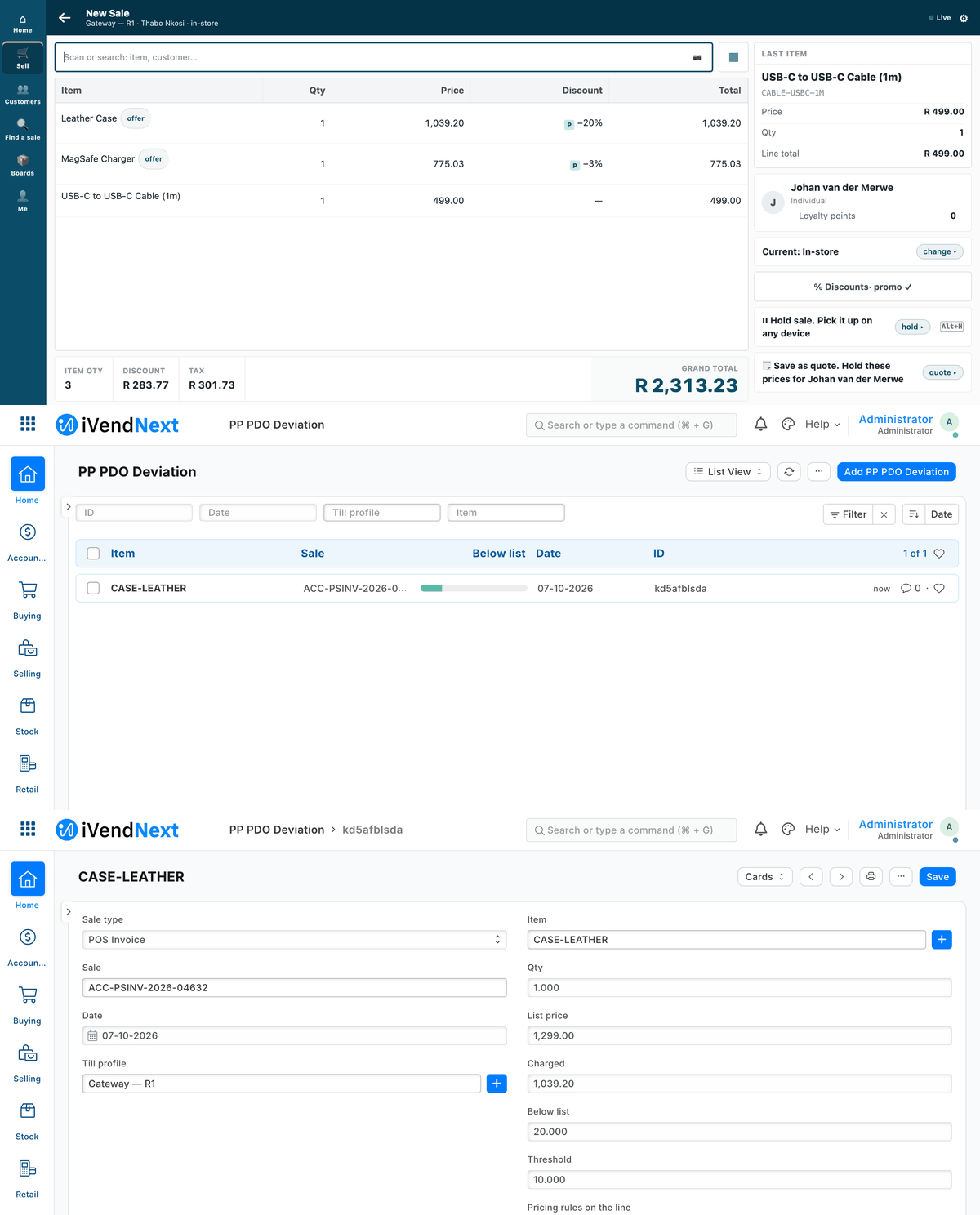
A sale with two offers at the till; the outside service reads it from the feed and records the one price that broke its rule.
Your service learns what happened in a shop — a sale booked, a return, a customer created, goods received — without ever missing one while it was down. This recipe is for a partner's service, a customer's own system, a BI feed or an AI agent.
Reference client: tools/feed_client/feed_client.py (Python, standard library only; any language can do the same).
A shop keeps a queue of events per registered application. Your service pulls its own queue, acts on each event, and marks it done. Nothing is pushed at you, so nothing is lost when you are down: the events wait. The reliable feed is the shop's existing pull feed, not webhooks. A webhook may still nudge you (appendix A).
When to use it. Whenever your service must act on what happens in a shop and cannot afford to miss an event.
1. Register your application (the shop does this)
The shop's administrator creates a Registered Application for you: its name, the user your service reads as (an integration user with its own API key), and the record types you follow (POS Invoice, Sales Invoice, Customer, Item, Stock Entry …), each ticked on. A manifest can install the registration switched off (registered_applications, manifest v2); the shop picks the user and ticks it on. From then on, every change to a followed record adds one row to your queue — after the change commits, so a refused save sends nothing.
Changes made by your own integration user are not sent to you (no echo of your own writes).
2. Pull, act, mark done — in this order
loop:
  page = events(limit=100)                 # the OLDEST not-done events, oldest first
  for each event in page:
      if event.id in my seen-set: skip     # a repeat: already acted on
      in ONE transaction of my own:        # my business write + the seen-set entry, together
          act on the event                 #   (read the record over the API if I need its content)
          add event.id to my seen-set
      on failure: failed(event.id, note)   # it stays not-done, with the note, for the next pass
  done(ids of the page)                    # one call
- A queue, not a cursor. You always ask for the oldest events not yet done. A row a slow worker commits late is never skipped behind a cursor.
- At least once. An event fetched and not yet marked done comes back. Your seen-set, written in the same transaction as your own work, makes the effect exactly once — for writes into your own database. A write you make somewhere else (back into the shop over the API, or to a third system) cannot share that transaction, so make it idempotent too: key it on the record or line the event names, and treat "already exists" as done. S3's outside service names each deviation after the sale line, so a second delivery answers 409 and writes nothing.
- Events carry no content. An event says which record changed and how (
sale.booked,customer.created…). Read the record over the API with your own key when you need it — it is always the current version. - Mark done, every time. The shop clears only rows that are done (after 30 days). An application that never marks its rows done grows its queue for ever.
3. Two ways to read the queue, one client
The client reads the queue in one of two ways (its --transport). Your handler is the same for both.
The feed every shop has today (--transport engine) |
The new feed extension point, P-FEED (--transport door) |
|
|---|---|---|
| Calls | the record API on Integration Sync Log (list your rows, mark them done with flag = 1, a note in error) |
events · done · failed (the P-FEED extension point's published contract) |
| The key needs | read + write on Integration Sync Log and read on the record types you follow — the narrowest grant that works | read on the record types you follow — nothing on the log |
| Scope | ⚠ none on the server. The key can read and mark done every application's rows, not only yours. The client filters to its own rows, but that is a convention, not a control. Use it only where your service is the shop's one consumer | the server's: only the caller's own application's rows. Another application's event is refused |
Labels (sale.booked …) |
applied by the client, from the same published table | decided by the server |
| Status | ✅ works on every shop today | ⏳ not shipped yet; tested only against our stand-in for it |
Write your handler against the labels and both ways run it unchanged. Switch to the P-FEED extension point when it ships (--door-prefix ivendnext_mpos.api.feed, the default).
4. The published labels
| Record and event | event |
|---|---|
| POS Invoice submitted, not a return / a return | sale.booked / return.booked |
| POS Invoice cancelled | sale.cancelled |
| Sales Invoice submitted / cancelled | invoice.booked / invoice.cancelled |
| Sales Order submitted | order.booked |
| Customer inserted / updated | customer.created / customer.updated |
| Item inserted / updated | item.created / item.updated |
| Stock Entry / Purchase Receipt / Stock Reconciliation submitted | stock.moved / goods.received / stock.counted |
| anything else | <record type>.<raw event> (lower case, spaces as _); a record deleted since reads <record type>.deleted |
⚠ With --transport engine the client decides the label by reading the record with your key: a POS Invoice your key cannot read (a user permission, say) reads as pos_invoice.deleted, where the P-FEED extension point — deciding on the server — says sale.booked. Give the key read on the whole record type you follow.
Expect several events per sale. A till sale followed as POS Invoice produces several rows (inserted, updated, submitted, and more changes). Act on the label you need (sale.booked) and mark the rest done.
Events can lag the sale. Rows are written by the shop's background worker after the sale commits. When the worker is busy, a sale's events can take about a minute to appear. Never assume an event exists the moment a sale does; the queue catches up.
Offline sales arrive late. A sale rung offline produces its events when the till's queue drains — the at time can be hours after the customer left. The day's close merges till sales into a back-office Sales Invoice: if you follow both, skip the merged roll-up (is_consolidated = 1) or you count every sale twice.
5. The nightly reconciliation
Once a night (and after any long outage), list the records booked in a window over the API and compare them with what your seen-set holds:
FEED_KEY=… FEED_SECRET=… python3 tools/feed_client/feed_client.py reconcile --base … --transport engine --app "<your registered application>" --since "2026-10-04 00:00:00" --doctype "POS Invoice"
(--transport engine --app … is what works on every shop today; the client's default is door, which is not shipped, so a command without --transport engine fails on a real shop.) It lists every record created in the window that your service never saw a sale.booked / return.booked for — and, apart from those, the ones whose event is still in your queue (late, or failed and waiting), which are not missing. Run it right after a pass that ended with backlog 0. Act on what is missing through a handler keyed on the record (your seen-set knows events, not records), so acting twice changes nothing. It keeps no state: a record you recover is listed again next night while it stays in the window, harmlessly.
6. Run the reference client
FEED_KEY=… FEED_SECRET=… python3 tools/feed_client/feed_client.py run --base https://shop.example --transport engine --app "<your registered application>" --state state/feed.sqlite --watch 30
This is --transport engine, the one that works on every shop today. --transport door is for the P-FEED extension point once it ships (add --door-prefix … if the prefix differs) and today runs only against our stand-in.
The key and secret come from the environment, never the command line. The client follows no redirect (your key never travels to another host). dump prints what the sample handler recorded; backlog prints how far behind you are. Replace sample_handler with your own: it receives the event and an open database transaction of yours.
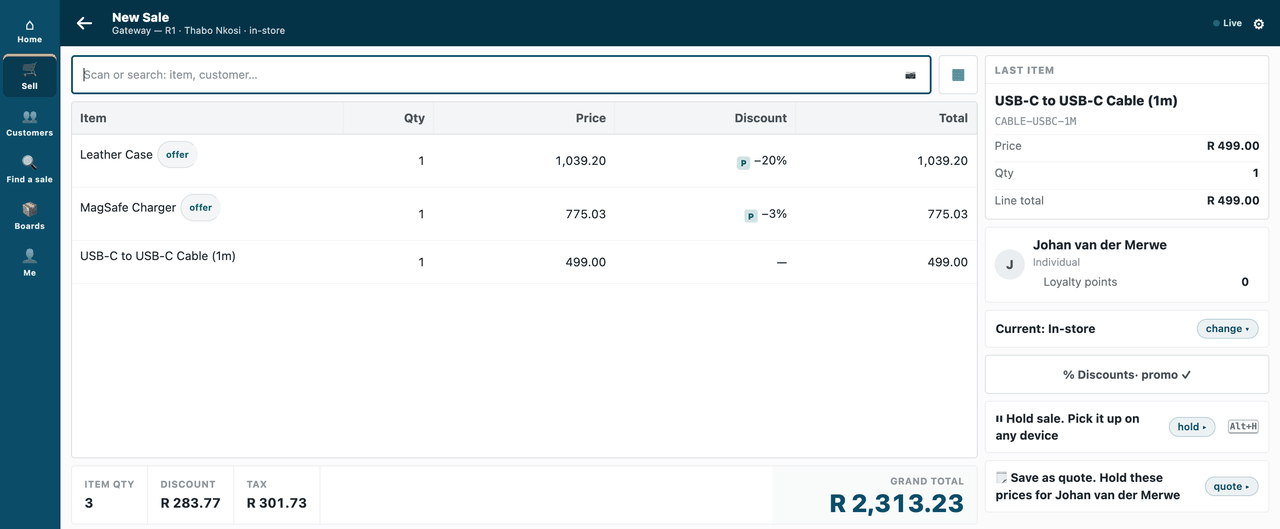
A handler that writes back, end to end (S3, samples/s3_price_audit/outside/). A cashier sells a case, a charger and a cable, two of them on offer:
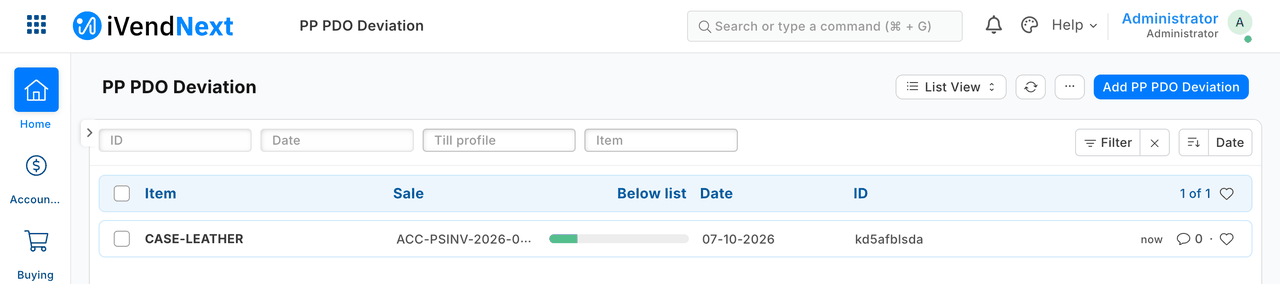
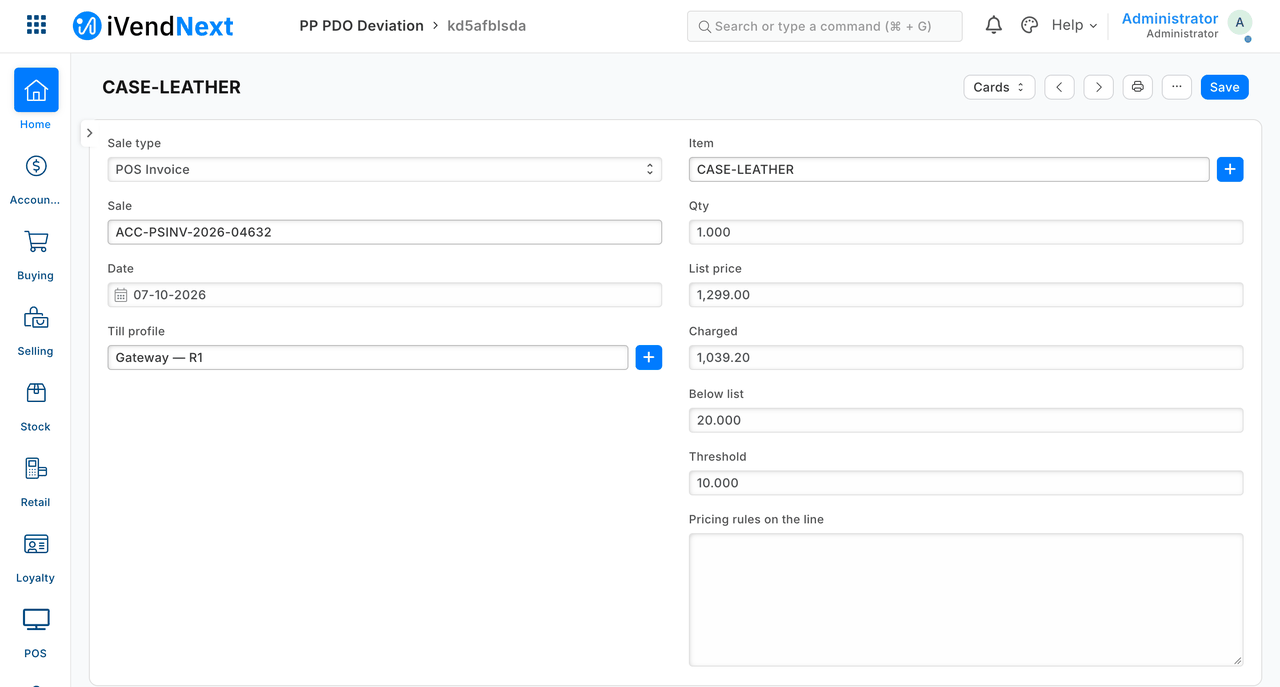
The outside service reads the sale from the feed and records the one line priced too far below list:
Appendix A — the nudge (was the webhook recipe)
A webhook is a doorbell, not a parcel: optional, for when you want to pull now instead of on your next poll. The shop may create a Webhook on Integration Sync Log, after insert, conditioned on your application's name, sending no content — {"app": "<your application>"} — signed with a secret (recipes/webhook_receiver.md §2 for the signature check). On a valid nudge, run one poll. Never treat the nudge as the event: it can be lost, delayed or repeated, and the queue is the record. We have not tested the nudge yet; it is configuration only.
Technical notes
What was proven where
- Proven on our test bench on 2026-10-04: the client stopped, sales booked, the client restarted and crashed before marking done, restarted again — every event collected once and none from another application, on both transports below — on the engine transport only because the client filters to its own rows (the key itself can reach the others', §3).
- At least once, §2: S3's outside service names each deviation after the sale line, so a second delivery answers 409 and writes nothing (proven by a full replay). Proven: a crash after 3 handled events and before
done— on restart those 3 were skipped as seen, none handled twice. - The engine transport's scope, §3: ⚠ none on the server. The log's application name is plain text, so the grant reaches every application's rows. Measured: app A's key read 24 of app B's rows and marked one of them done.
- The door's scope, §3: the server's: only the caller's own application's rows. Measured: A's key asking
donefor one of B's ids was refused whole ("One of these events is not yours."), B's queue unchanged. - The door's status, §3: ⏳ the door is a published extension point, not shipped yet; proven here against our stand-in for it, which follows the contract — UNPROVEN against the real extension point.
- Events per sale, §4: a till sale followed as POS Invoice produced 6 rows on the bench (inserted, updated, submitted, and three changes).
- Lag, §4: on the bench, with the worker busy (a stock receipt's follow-up jobs), the rows of two sales took 58 seconds to appear (measured with sample S3's outside service).
- Reconciliation, §5: Proven: with one sale's event deleted on purpose, it named exactly that sale.
- The pictures, §6: our test bench, 2026-10-07; frames: the till at 1440 wide, then Desk. On the bench the feed was read through the programme's stand-in door.
- The nudge, appendix A: UNPROVEN: the nudge was not run on our test bench (it is configuration only; its signing is the webhook recipe's, proven there).
Bounds, stated
- The door's results are against the stand-in, not the product door (above).
- Measured with two applications: 4 sales and 1 customer on the engine transport, 3 and 1 on the door; volume beyond that is the scale-profile kit's (
tools/scale_profile/) — and it is sequential. - The engine's grant cannot be scoped today; the proposed engine change (the log's application name as a link, the cashier's rights on the log narrowed) has been proposed to our product team.