
S53 — Alterations and made-to-measure tickets (pp_alt)
Start from this sample: python3 tools/manifest/start.py s53_alteration_tickets --prefix "ACME ALT" copies it into apps/ of your repository under your own prefix (your company's first word, then a short name for the app) and checks it (how).
A fashion store's ticket for each alteration and each made-to-measure piece, kept in iVendNext Desk: what to do to which garment, the measurements, the fitting, the date it is ready, the tailor's progress, a slip for the customer with a tag for the garment, the tickets due, and who collected it. The charge and any deposit are rung at the till as before. The app itself calls nothing outside: no service, no outside address. The recipe walks a store through it.
It uses the manifest's doctypes (a record type and two child tables), workflows, print_formats, reports, links and a documentation property setter. When to use it: a store alters what it sells (a hem, a waist, a sleeve) or makes to measure (a suit, a dress), and its tickets are on paper today.
What happens
- At the counter. The cashier rings the alteration at the till as the store already does: a service item (Hem trousers), or a surcharge on the garment's line where the retailer set one up; a made-to-measure piece is ordered with its deposit by the till's order or a layaway. Then store staff open PP ALT Ticket in Desk, + Add: the customer by name and number, never the store's walk-in customer (its phone and e-mail come from the customer, as the till keeps them; the till's new-customer sheet makes one), the store that hands it over, Ready by, and a row per garment with What to do. For a made-to-measure piece, choose Made to measure and fill Measurements. Name the Sale or the Order it was paid on. Save: the ticket is numbered
ALT-00001and is Taken. - The slip and the tag. Print › PP ALT Ticket: the customer's slip (the number large, the store, Ready by, each garment and its work, the measurements) and, under a cut line, the garment's tag.
- In the workroom. Send to tailor, Book a fitting (write Next fitting; Back to tailor after it), Ready. Ready ticks Ready to collect; going back for more work unticks it.
- The customer is told. The retailer's own Notification on Ready to collect sends "Your alteration ALT-00042 is ready to collect" by e-mail or SMS (the recipe's step 4; an SMS one also names
doc.customer_phonein its condition, or each ticket of a customer with no phone leaves a failed send in the Error Log). The app sends nothing itself. - The hand-over. For a made-to-measure piece, take the balance at the till first (its order or layaway). Write Collected by, then Hand over: the ticket is Closed, and its history records who did it and when. Cancel closes a ticket the customer gave up.
- What is due. The report PP ALT Tickets Due lists every ticket not closed, the earliest Ready by first. A customer's, a sale's and an order's tickets show under each, in the form's connections.
| What the store sees (a demo store, the library copy IVENDNEXT ALT) | |
|---|---|
| What installing it changes, read before the install | 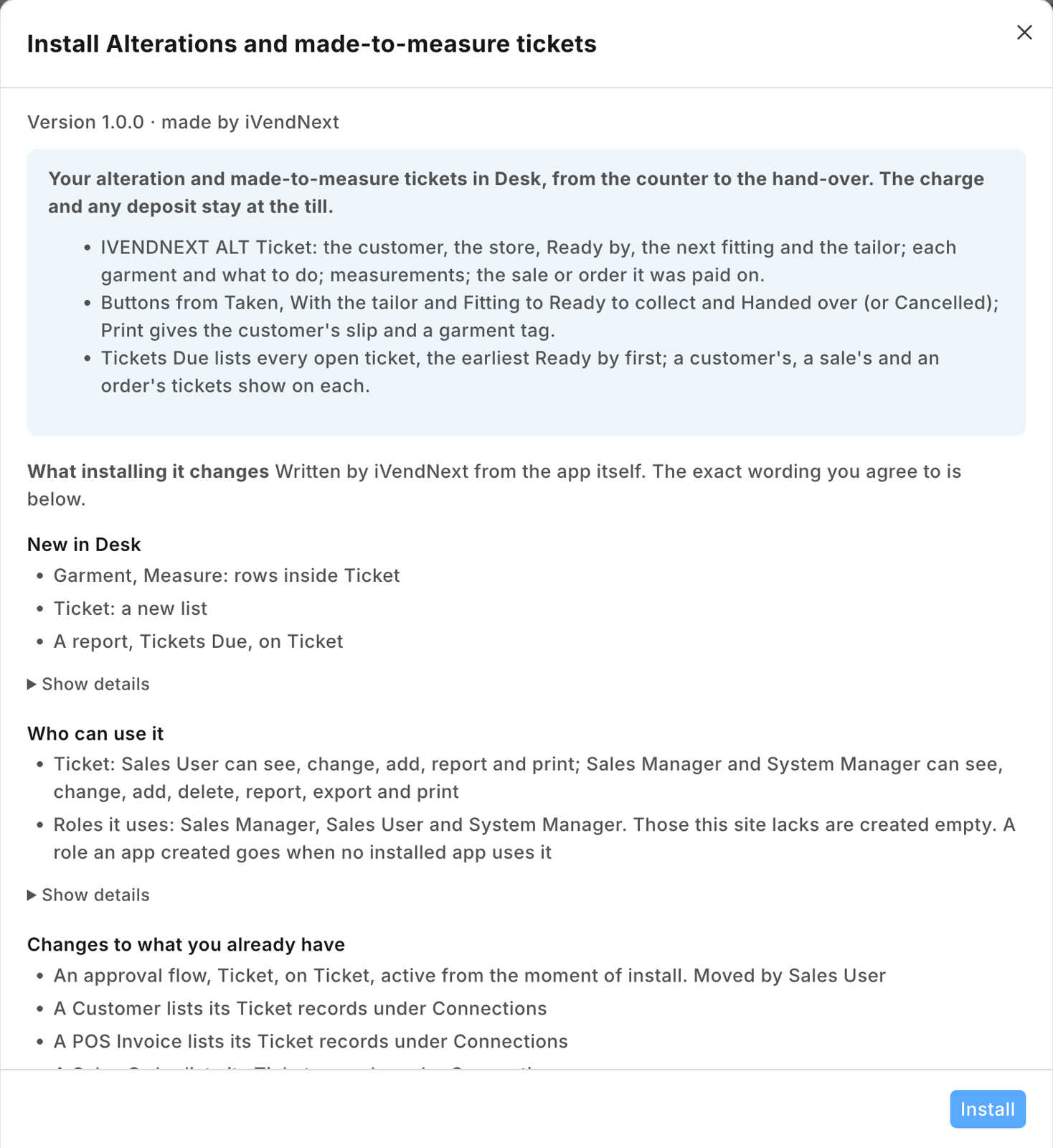 |
| A ticket for two garments: the customer's phone and e-mail from the customer, Ready by, the next fitting, the workroom | 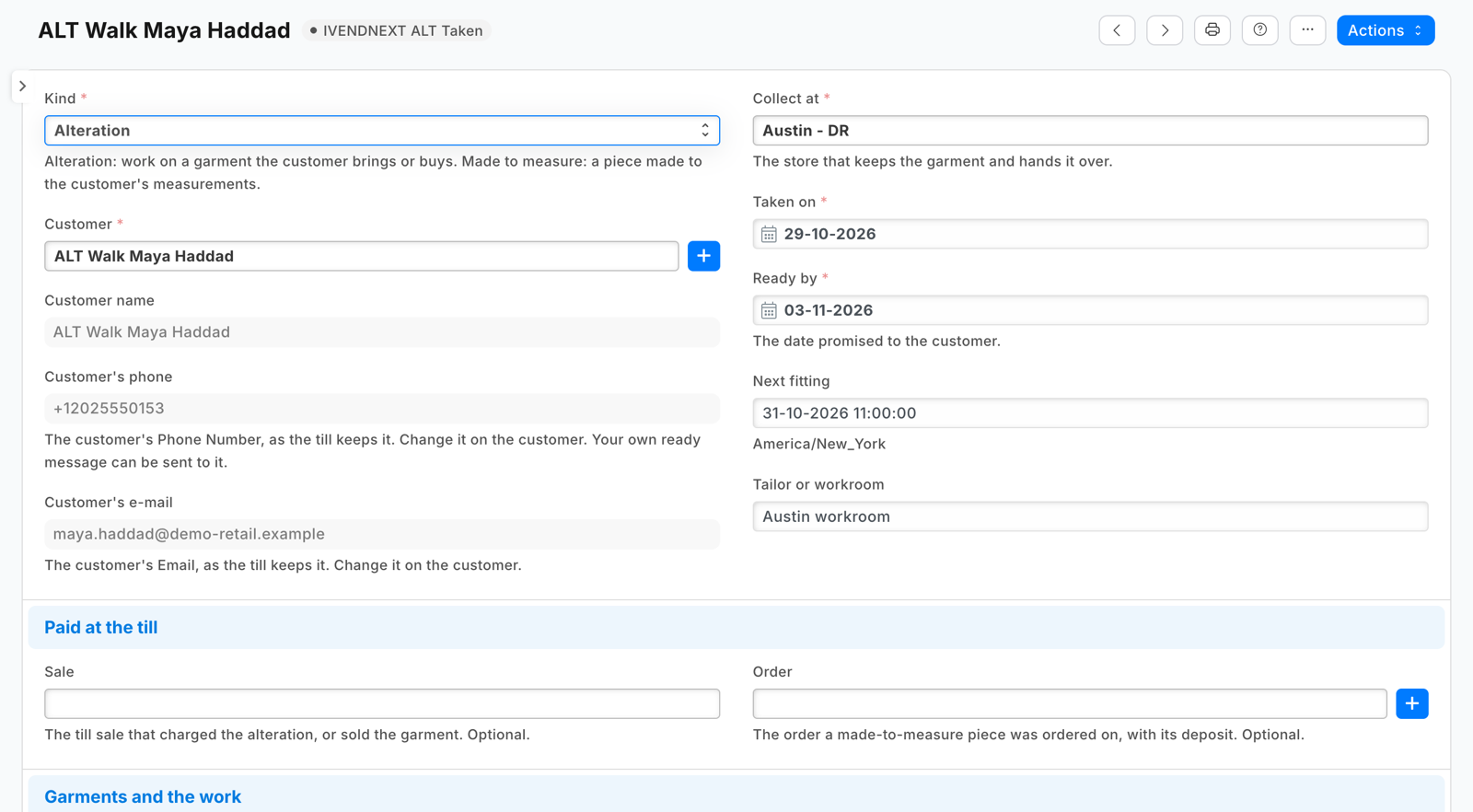 |
| The slip, and under the cut line the garment's tag | 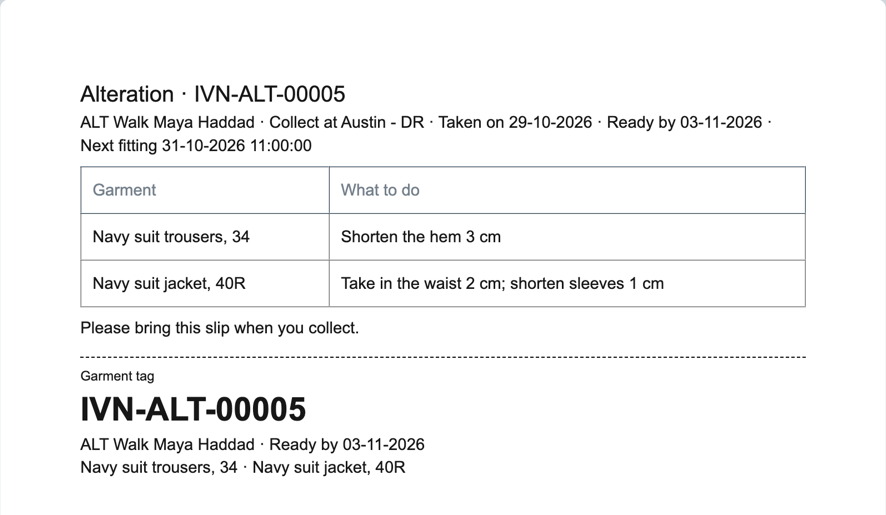 |
| Tickets Due: the open tickets, the earliest Ready by first | 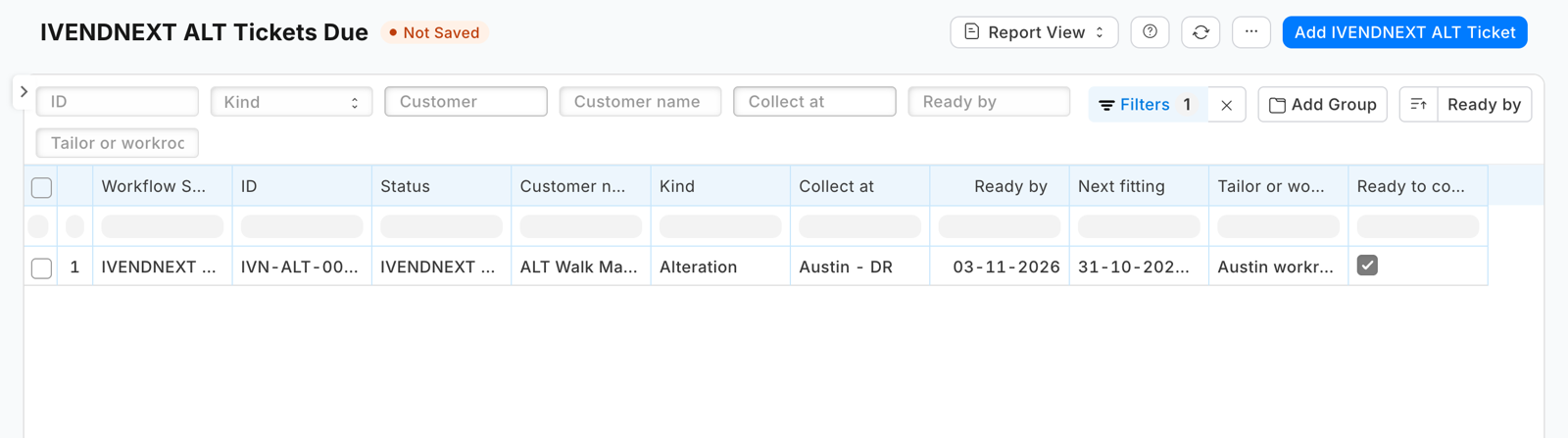 |
What the retailer does
- Give the people at the counter and in the workroom Sales User (they take, move and print tickets; they cannot delete one). A Sales Manager may delete a ticket taken in error, and needs Sales User too to move one.
- Add its own Notification for the ready message, and, if it wants one, a reminder the day before a fitting (the recipe's step 4).
- Nothing else: the app installs no setting, no role and no switch.
The files
| File | What |
|---|---|
manifest.json |
the ticket (PP ALT Ticket) and its two child tables (PP ALT Garment, PP ALT Measure); the workflow with its six states; the slip and tag print format; the report Tickets Due; the ticket list under Customer, POS Invoice and Sales Order; the ticket's help address |
tests/test_manifest.py |
the manifest passes the kit's checker and nothing the retailer's install refuses; no outside address and no money field; Ready ticks Ready to collect, going back unticks it; Hand over and Cancel tick Closed and leave the ticket to a System Manager on Desk's screen; the phone and e-mail are the customer's, read only; the report lists open tickets by Ready by; no child table is required; the print reads only fields that exist and skips a blank measurement row; the Connections; the rights; the help |
tests/canaries.py |
each test goes RED when the rule it guards is broken |
Run it
The tests need nothing but Python:
python3 -m unittest discover -s samples/s53_alteration_tickets/tests -p 'test_*.py'
python3 samples/s53_alteration_tickets/tests/canaries.py
Install the manifest in a retailer's iVendNext through Extension Packages (guide chapter 3), then open PP ALT Ticket.
What is refused, and why
- A money field on the ticket: the charge and the deposit belong to the till's sale and order, where tax, refunds and the day's takings already handle them. The ticket names them; it holds no amount.
- A message to the customer from the manifest: a manifest notifies only the retailer's own users. A message to a customer is the retailer's own Notification on a field the app adds (Ready to collect).
- A required garments table: Desk drops a row whose list fields are all blank, so no garments is a ticket with no rows (a made-to-measure piece may have none until it is cut).
Make it your own
What a partner usually changes:
- the ticket from the till: a till key that writes the ticket from the basket at the counter (garments, customer, store), with the ticket number back on the receipt as a sale detail (recipe A till key);
- the measurements: a measurement profile kept per customer, copied onto each new ticket; a country's or a brand's own list of measures;
- the workroom: an outside workroom's own system, a ticket per tailor, piece rates;
- the fitting: a booking calendar, a fitting reminder by WhatsApp from the retailer's own messaging app;
- the prefix:
tools/manifest/rename.pymakes your copy under your own reserved prefix in one step (the naming seriesALT-too: change it in the ticket'sautoname); - its records:
tools/deploy/copy_records.pymoves tickets between a test site and the retailer's iVendNext.
Technical notes
Why it is built this way
A manifest only. The till already charges an alteration (a service item, or a line surcharge) and takes a made-to-measure deposit (its order or a layaway), so the app holds no money and needs no check before payment. A till key that writes the ticket at the counter would press before the sale is booked, so an abandoned sale would leave a ticket behind; that is a partner's version, above. With no service there is nothing to host, no key to keep and no user to add.
Bounds, stated
- The ticket is written in Desk, at the counter or in the workroom; nothing links it to the sale or the order on its own: staff name them.
- The phone and e-mail are the customer's (
custom_phone_no,custom_email, the fields the till's new-customer sheet and customer edit write), read only and filled again on each save: change them on the customer. A customer made in Desk with only its contact's mobile and e-mail has a blank phone and e-mail on the ticket until its Phone Number and Email are set. - Desk shows the states and buttons with the prefix (PP ALT Ready, IVENDNEXT ALT Ready in the library app).
- Hand over does not ask for Collected by: staff write it first.
- Removing the app: delete your own Notifications on the ticket first (a daily reminder on a removed record would fail every day).
- A workflow's who may edit is a screen rule. Over the record API, anyone with write may change a ticket in any state; the buttons are the workflow's.
- A cancelled ticket refunds nothing: a refund is the till's return.
- The measurements are personal data the retailer keeps under its own policy; uninstalling the app removes the tickets (its export keeps a copy).