
S4 — the receipt pack: a UAE tax invoice on the till sale
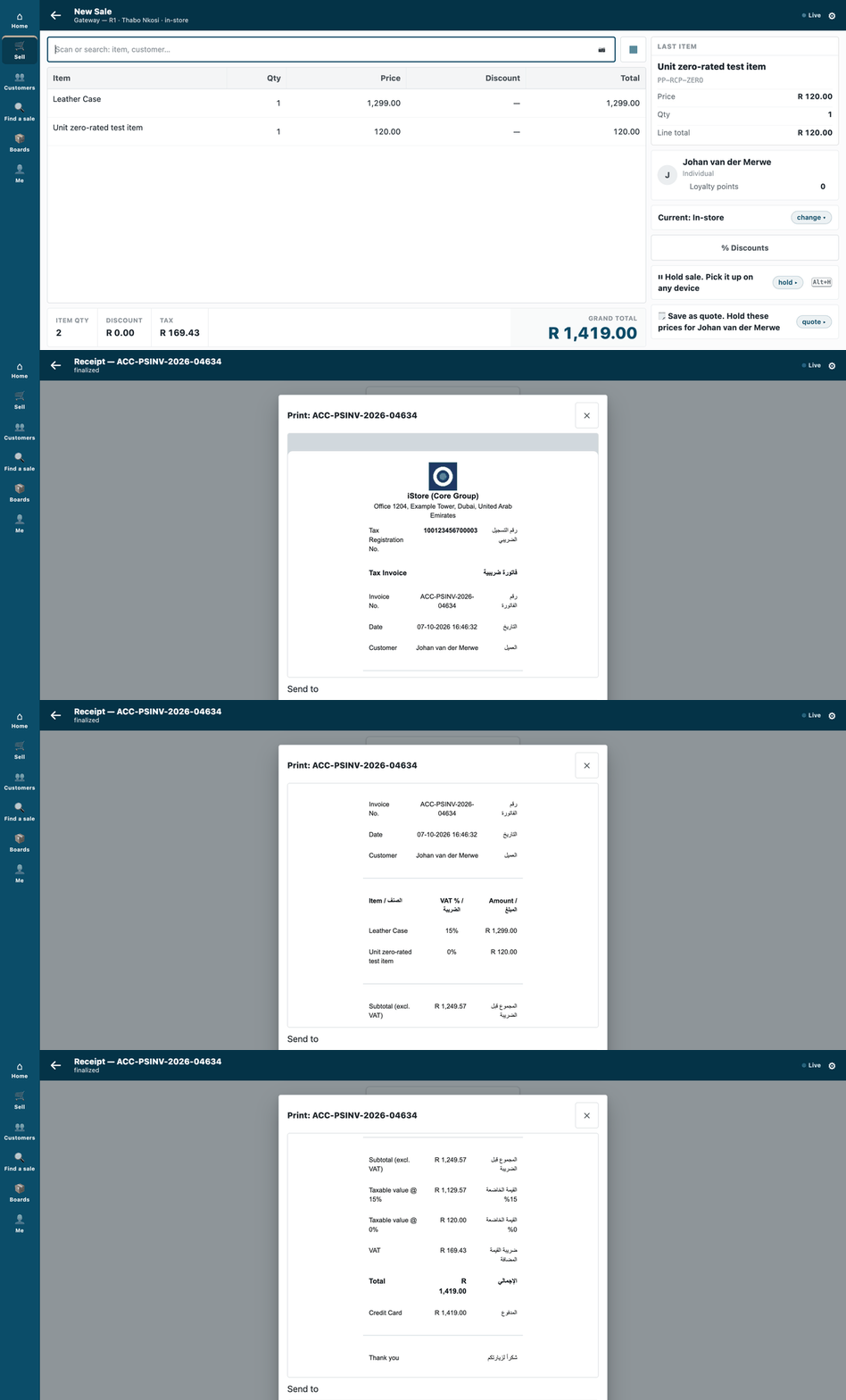
A sale at two VAT rates, and its tax invoice, in English and Arabic, in the till's Print sheet.
A manifest with one POS Invoice print format: the company's tax registration number and address, an inline logo, one line per item with its VAT rate, the taxable value at each rate, and every label in English beside Arabic. It is for a developer who needs the till to print a receipt that meets their market's rules. The recipe is recipes/receipt_format.md.
When to use it: the shop's receipt must carry what your market's tax rules ask for, and you want to ship that layout as a package the shop installs and removes cleanly.
What it looks like
The address and the tax number are made up. The invoice shows R (the Rand) where a UAE shop shows its own currency.
| Step | Frame | Screenshot |
|---|---|---|
| 1. A sale at two rates: the case (15%) and a zero-rated item | the till, 1440 wide | 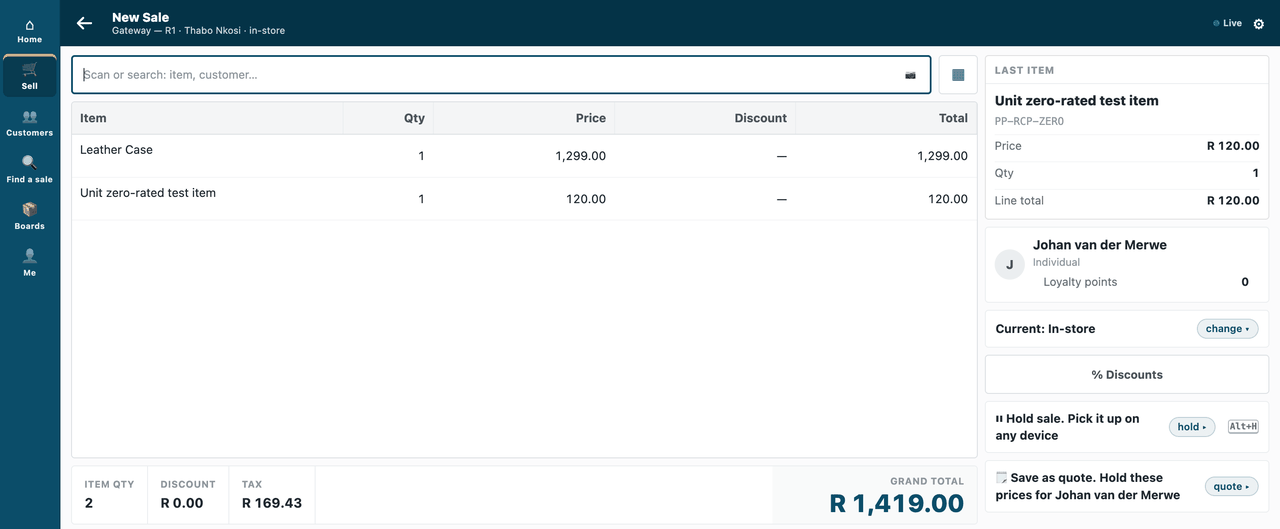 |
| 2. The Print sheet's preview: logo, address, tax registration number, Tax Invoice / فاتورة ضريبية | the till | 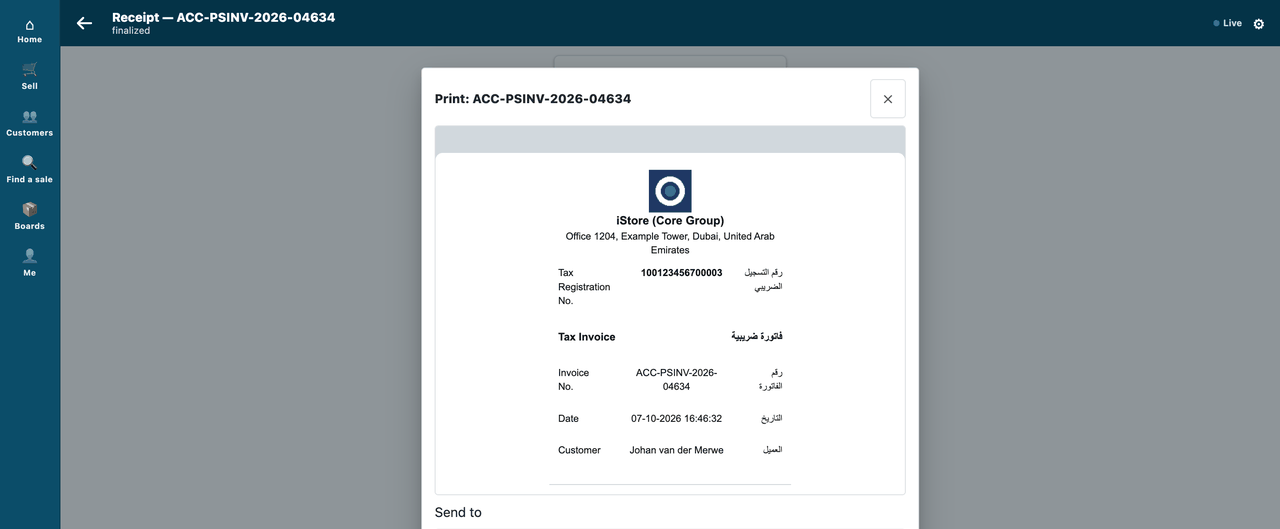 |
| 3. One line per item with its VAT rate | the till | 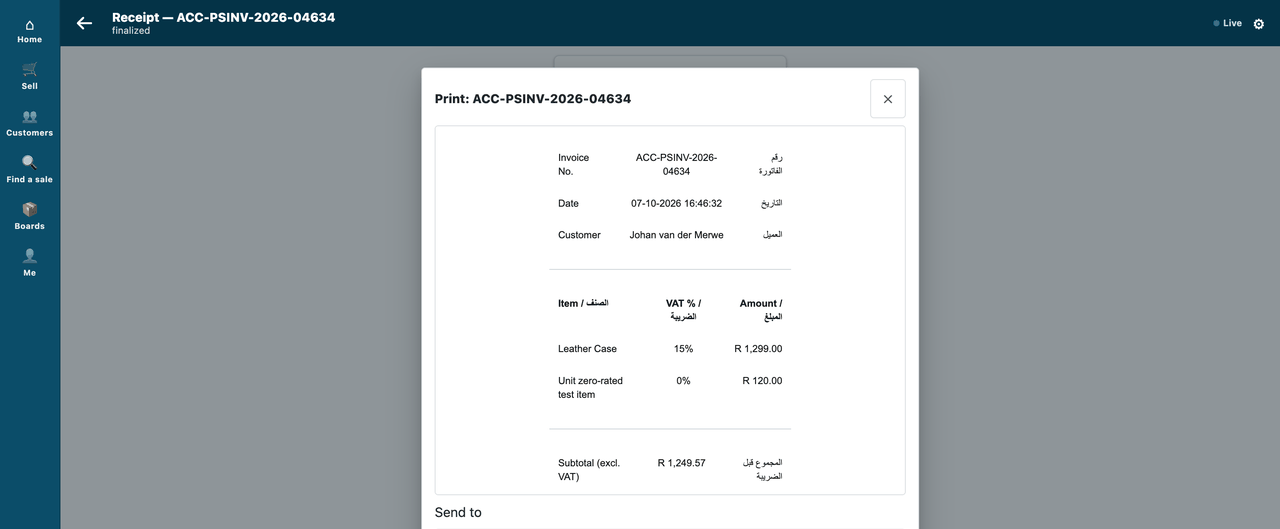 |
| 4. The taxable value at each rate, the VAT and the total | the till | 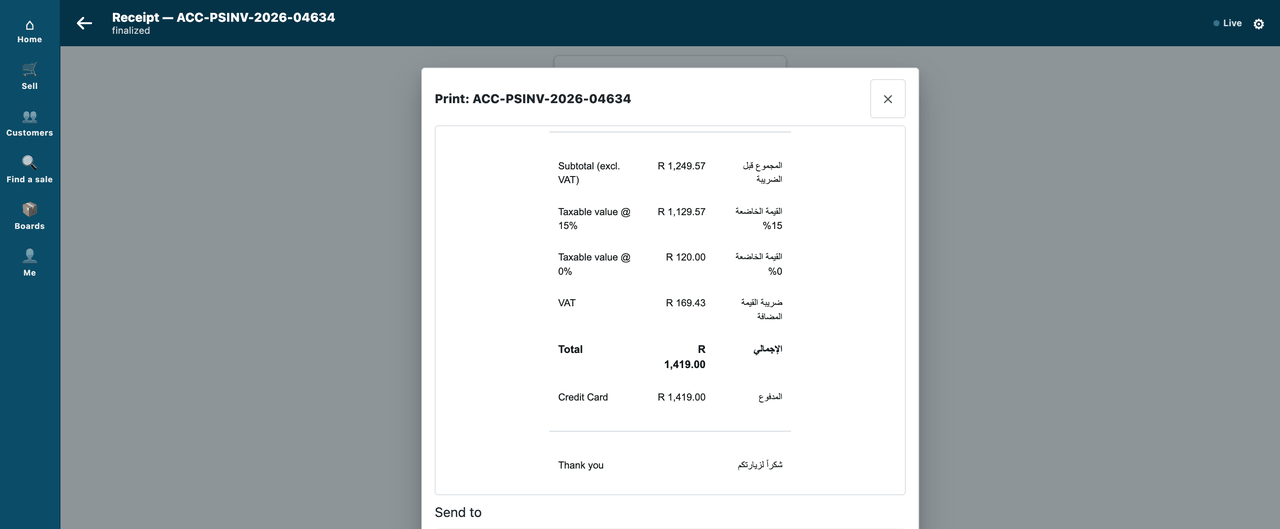 |
The files
| File | What |
|---|---|
receipt.html |
the layout — a readable template, with comments |
logo.png |
the placeholder logo (294 bytes); replace it with the brand's |
build.py |
builds manifest.json from the two files above (inlines the logo) |
manifest.json |
the manifest the installer reads (generated; python3 build.py) |
Run it
python3 samples/s4_receipt_pack/build.py && python3 tools/manifest/validate.py samples/s4_receipt_pack/manifest.json
Before you build on it
- For a real market, start from the shop's own receipt. A copy of the seeded
mPOS Receiptalready carries the charge rows, the offline lines and the order lines. This sample leaves them out so the idea stays readable; the recipe lists what to copy back. - What it cannot do yet. It cannot add a QR code or a fiscal mark, or hide or require a till field, or print labels. The manifest cannot set the profile's print format either: you set it in the profile yourself (step 5 of the recipe). Each of these needs an extension point that has not shipped.
Technical notes
The walk
The GIF: a cashier sells a leather case (15%) and a zero-rated item, takes the card, and opens the till's Print sheet: the preview is this pack's tax invoice — the logo, the company's address and tax number, each line with its VAT rate, the taxable value at each rate, every label in English beside Arabic. Frame: the till (/pos?frame=terminal, 1440 wide). Walked on our test bench on 2026-10-07, iVendNext POS app at 8dc36aab8; nothing was sent to a printer. Built from the same screens as the stills below; every frame is cut above the sheet's printer choices.
The cashier is the bench's Thabo Nkosi, the customer Johan van der Merwe. The address and the tax number are the sample's made-up ones, set on the company by its bench run for the walk; the bench's currency is the Rand, so the invoice shows R where a UAE shop shows its own.
The tests
| File | What |
|---|---|
| our test bench's own run (not in the kit) | the bench tests: install, set on a profile, three sales, the render, uninstall and reinstall |
Why this way (R6)
A template in a manifest (picked: the door that exists, proven, installs and removes cleanly, ~100 lines of template) · edit the seeded receipt in place (rejected: the next migrate keeps or overwrites it, and a hand-edit has no owner) · a hosted app that ships a format (rejected: it needs partner Python in the shop) · start from a copy of the seeded mPOS Receipt (the safer base for a real market: it already carries the charge rows, the offline lines and the order lines; rejected for a SAMPLE because ~240 lines of hooks specific to iVendNext POS hide the idea. The sample copies only the VAT figure and the charge row, with their source named; the recipe lists what to copy back).
Not used, because it would need an extension point that has not shipped
A QR or fiscal mark (P-RECEIPT), a manifest that sets the profile's format (with P-RECEIPT §3.4 — so step 5 of the recipe is configuration), hiding or requiring a till field (P-FIELDS), labels (P-LABEL).