
S17 — an order board (pp_pge): a partner page
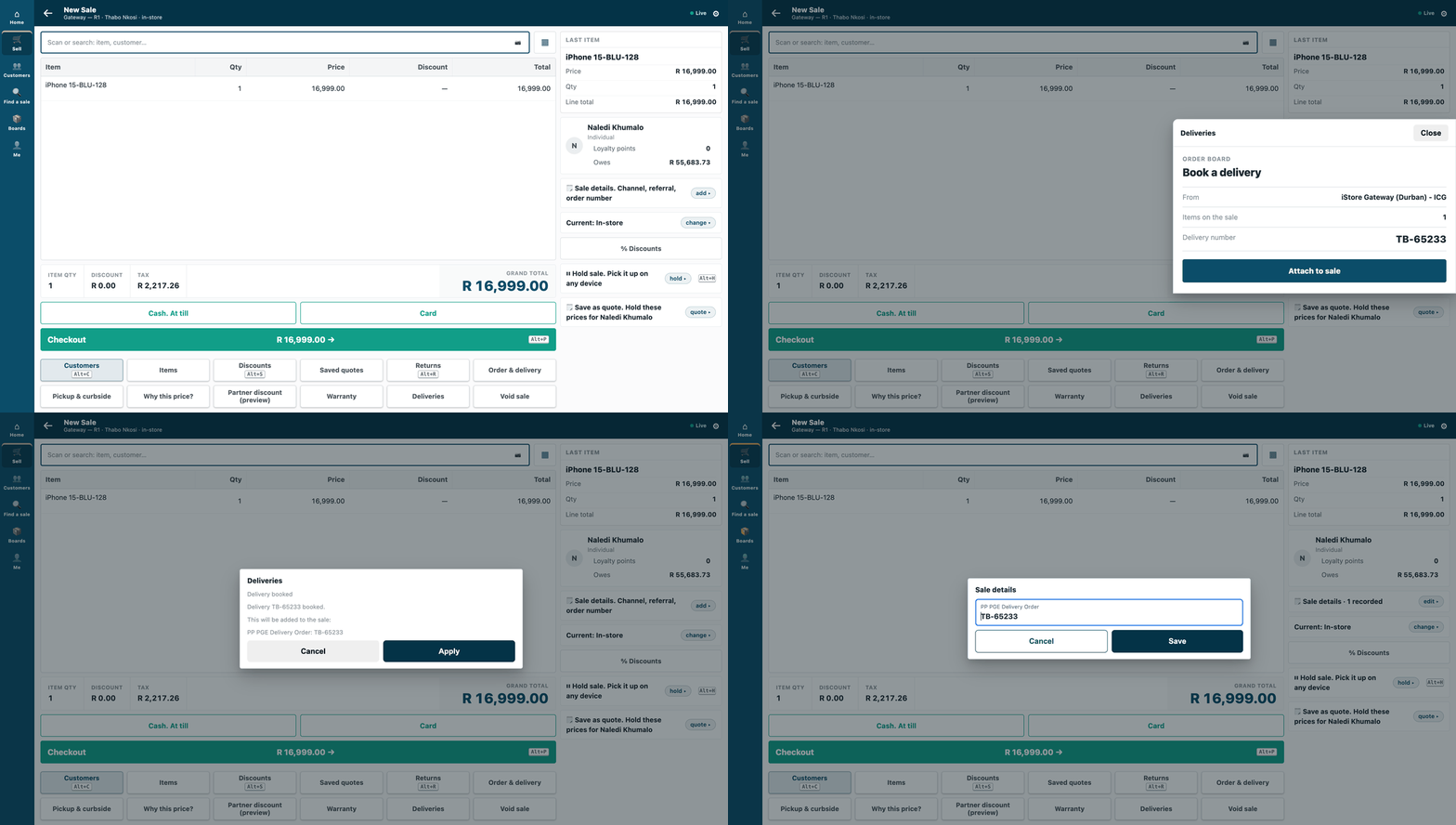
A cashier presses Deliveries on a sale, the partner's board opens over the sale in the till's own look, and after Attach to sale the delivery number is on the sale.
Your own screen, shown inside iVendNext: on the till as a sheet over the sale, and in Desk as a page for a record. This sample is for a developer whose service has a screen of its own (here, a delivery board) and who wants cashiers and staff to use it without leaving iVendNext POS.
When to use it: your service needs its own screen in the till or in Desk, and may hand one answer back to the sale.
What happens
On the till (counter and tablet):
- The cashier presses the Deliveries key on a sale.
- The board opens as a sheet over the sale. It offers a delivery order number.
- The cashier presses Attach to sale.
- The board's server answers the till once. The till shows its usual confirm sheet, with the sale detail PP PGE Delivery Order.
In Desk, the same board opens as a page for a record (/app/partner-page/<page>?doctype=Sales Order&name=…), for Stock Users and Stock Managers.
The shop opens the page with a signed, one-time context in the address's fragment (#ctx=…): who is looking, at what, for five minutes, once. The board checks it on its own server, and never holds the shop's session.
What it looks like
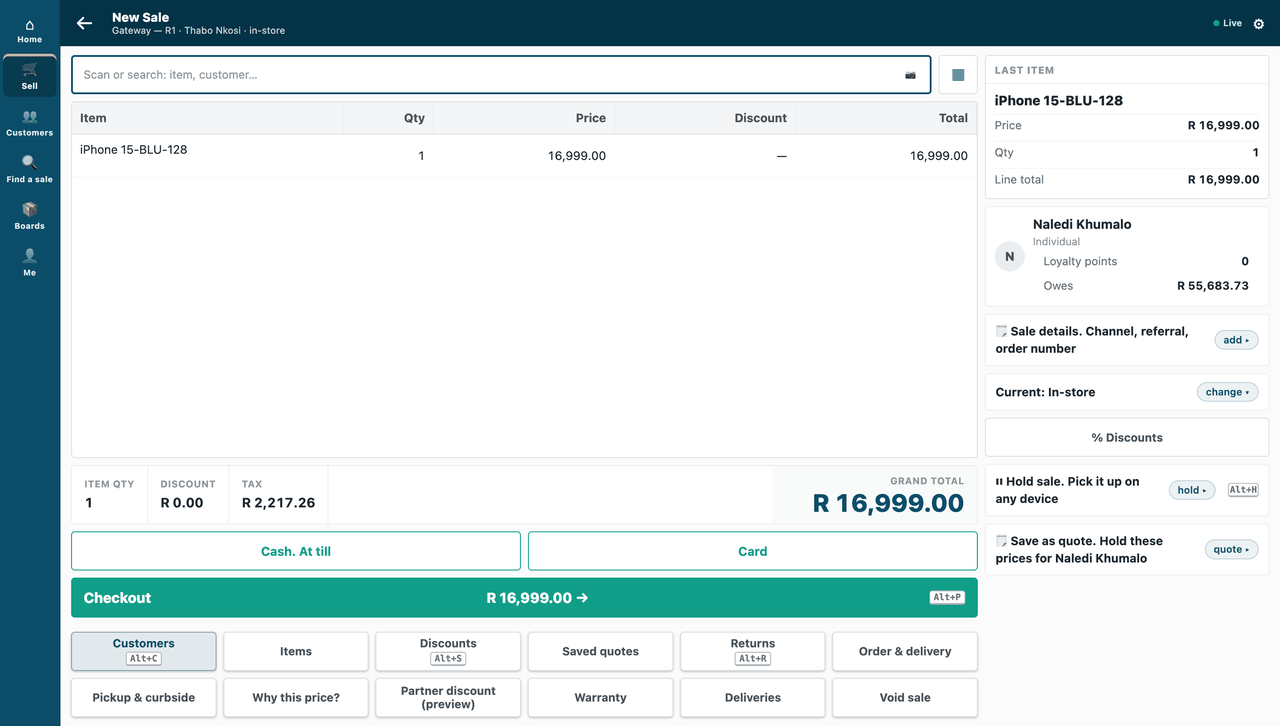
The names in the pictures are a demo shop's: a cashier selling to a customer on the till, and a stock user opening the board for a Sales Order in Desk (step 5).
| Step | Frame | Screenshot |
|---|---|---|
| 1. A sale with one item; the Deliveries key sits with the till's other keys | the till, /pos?frame=terminal, 1440 wide |
 |
| 2. The board, framed as a sheet over the sale, drawn with the till's own tokens | the till, 1440 wide | 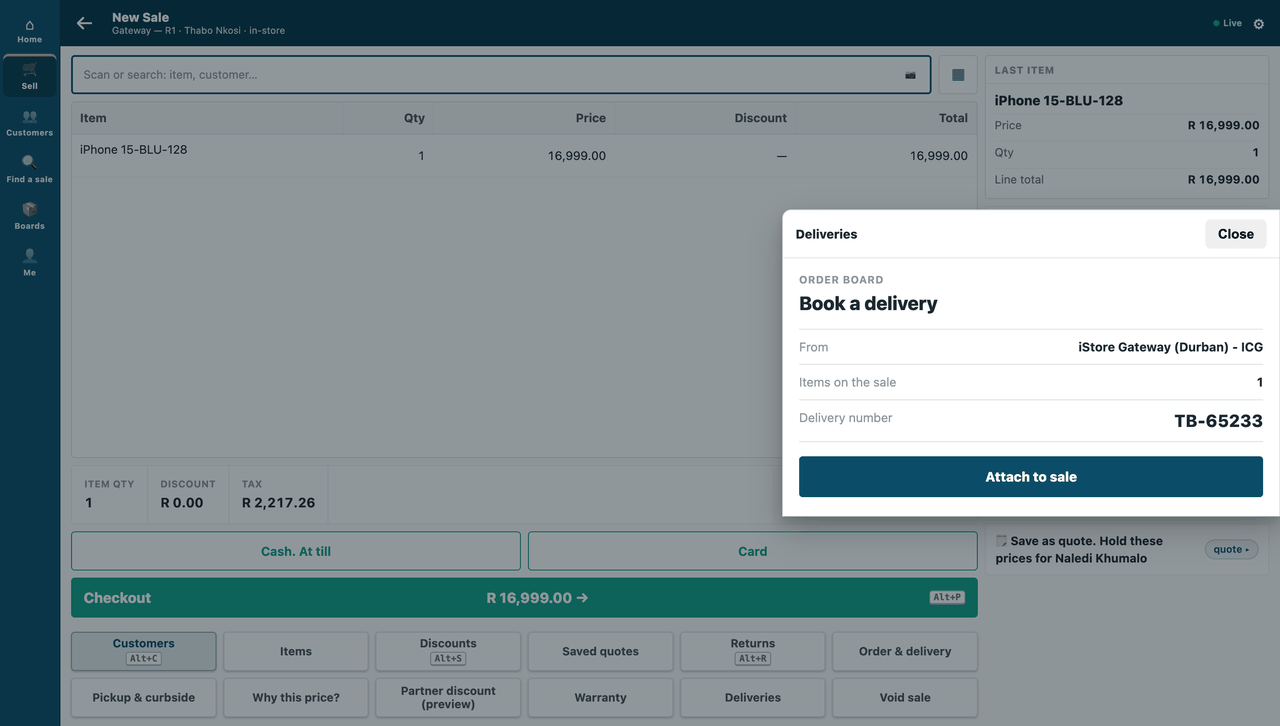 |
| 3. After Attach to sale: the till's own confirm sheet, with the sale detail and the number | the till, 1440 wide | 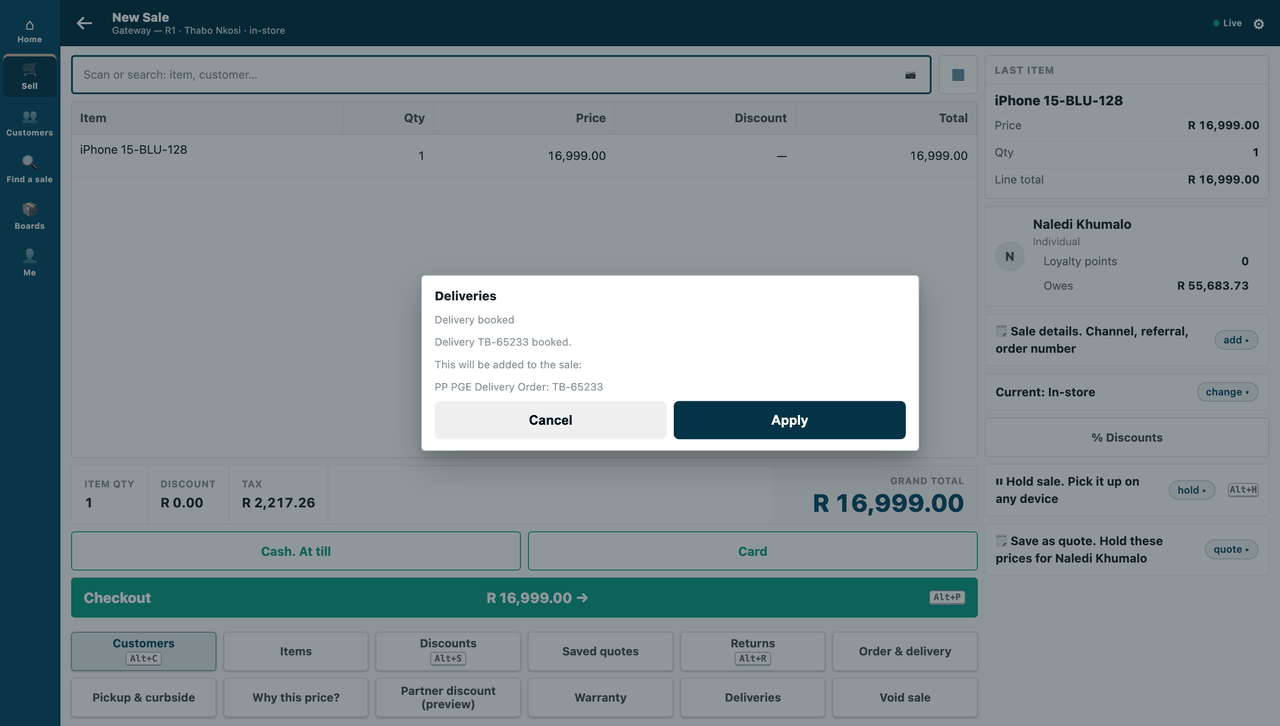 |
| 4. Applied: the delivery number is on the sale (Sale details) | the till, 1440 wide | 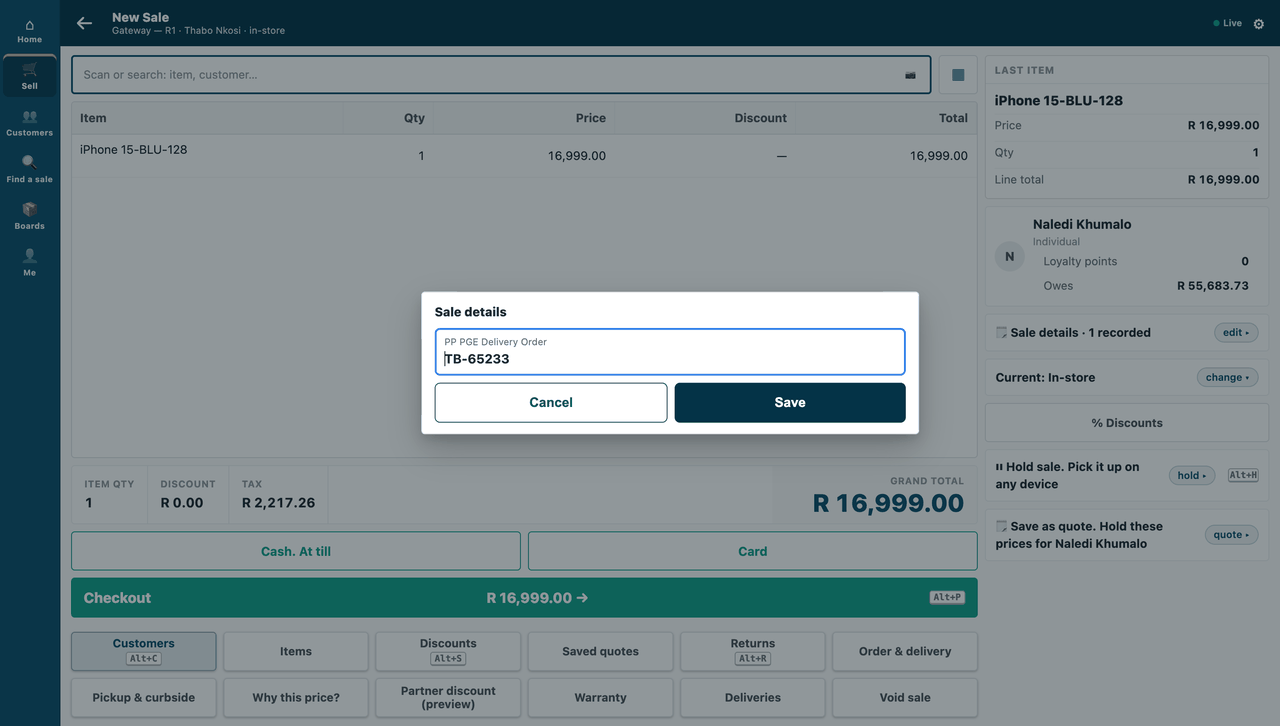 |
| 5. The same board in Desk, as a page for a Sales Order | Desk, 1440 wide | 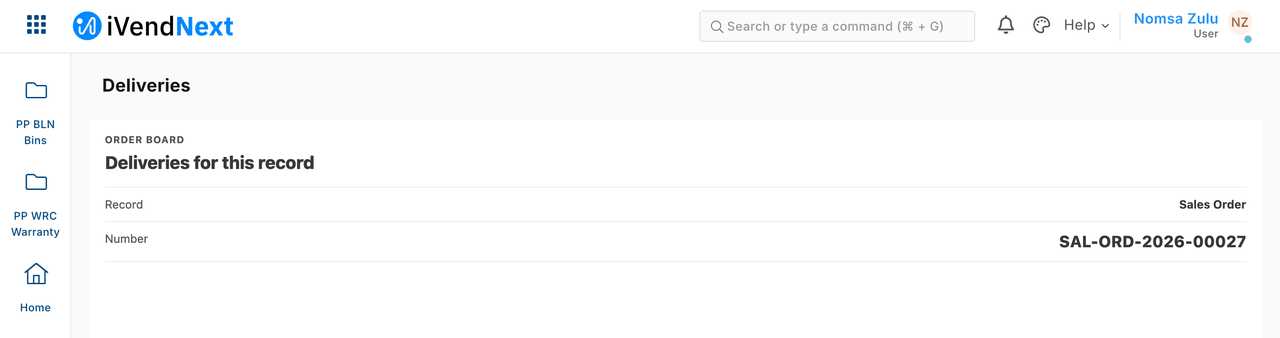 |
The sale detail reads PP PGE Delivery Order because our samples carry placeholder names until their real ones are reserved; a partner's copy shows its own name.
The files
| File | What |
|---|---|
manifest.json |
the page (extension_subscriptions, extension point page, Till key and Desk page) and the sale detail it answers with, installed switched off |
page.py |
the pure core: read and check the context (signature, expiry), the nonce-once set, the till's answer and its signature |
service/app.py |
the HTTP service (standard library): GET /board/, POST /board/api/open, POST /board/api/answer |
service/board.html |
the page: reads the fragment once and takes it out of the address, never puts context text into markup, and draws with the shop's design tokens the way the till's own sheets do (the till's type, a bold title, muted detail rows, one full-width button) |
tests/test_service.py |
laptop tests: the real service, contexts minted as the shop mints them, a stand-in for the shop's api/page.submit |
tests/test_contract.py |
the answers, and every context our test shop minted, against the published contract (partner_page.v1.schema.json) |
The recipe is recipes/partner_page.md.
How to run it
Start the service on your server, under your own process manager: python3 service/app.py service/.env.local. Install the manifest in the shop. It installs switched off: the shop reads what the page will receive, ticks the consent, switches the page on, and places the Deliveries key on the till (the recipe has the steps).
What is refused, and why
- A second answer for one context. The board refuses it itself, and the shop refuses it again ("This page has already answered."). Either lock is enough on its own: the till takes the first answer only.
- A page on the shop's own address. The shop refuses it: write a page address on your own host.
When the shop cannot be reached
If the shop cannot be reached when the board answers, the board says so and the cashier presses again. The context's one answer is not used up.
Before you copy it
- Where it has been checked. On the counter till only, in light mode, at the default text size. Where the till's font is not installed, the board draws in the system font, as the till does.
- Remember opened contexts in your database. This sample keeps them in memory, so a restart forgets them: a context opened just before a restart could be opened once more within its five minutes.
- What the till takes back. A page can answer with a message and sale details. Details on single lines are not supported yet.
- What the till sends. The sale includes the cashier's login and the customer's id. The board shows only the line count and the store. If you do not need the sale, switch sending it off (
page_send_sale). The viewer's login is not sent (page_send_user). - Test routes. Delete
/test/onceand/test/openedfrom your copy. - Your address. Write your own page address in
allowed_urls.
Technical notes
What was walked, and where
The GIF: frame: the till, /pos?frame=terminal in a 1440-wide window. Walked on our test bench on 2026-10-07, iVendNext POS app at 8dc36aab8. Built from the same screens as the stills, uncropped.
The stills: walked in a real browser on our test bench, 2026-10-07, iVendNext POS app at 8dc36aab8. On the till, the bench's demo cashier (Thabo Nkosi) sells to Naledi Khumalo; in Desk (step 5), a stock user (Nomsa Zulu) opens the board for a Sales Order.
On our test bench the page was opened through the till's own press and pick-up and Desk's own context call, for every case in the recipe. tests/test_contract.py checks every context the bench minted.
Why it is built this way
| Option | Cost | Verdict |
|---|---|---|
| Do nothing | 0 | row 48 (the delivery partner's screen on the till) has no sample to copy |
| A static page that only shows the context | ~40 lines | skips the two duties that matter: checking the context on the server, and answering once |
| A pure core + a standard-library service + one HTML page | ~300 lines | picked: every duty P-PAGE gives the partner, in code a new developer reads unaided |
Two locks on one answer. The board refuses a second answer for one context itself, and the shop refuses it again ("This page has already answered."). Either is enough; the bench proves both.
Bounds, stated
- Walked on 2026-10-07 on the till's counter frame, light mode, text size 1 only. The board names the till's font (IBM Plex Sans) but cannot load the till's font file: where it is not installed, the board draws in the system font, as the till does.
- The viewer's login is not asked for (
page_send_user0): the board does not need it, so the shop is not asked to send it. - If the shop cannot be reached when the board answers, the board says so and the cashier presses again; the context's one answer is not used up.
- The nonce sets are in memory. A restart forgets them, so a context opened just before a restart could be opened once more within its five minutes. A partner keeps them in its own database.
- The till's answer kinds. At the bench's pin the till takes
messageandsale_attributesfrom a page. The spec'sline_attributes(P-CAPTURE) is not there yet. - A message from another origin (S4) and the frame's attributes are the till's own tests (Jest, in the POS app): not re-run here.
- The contract test needs the extension-point library's contract files beside it; where they are not, it skips and says so.
- The sale the till sends (
page_send_sale1) includes the cashier's login and the customer's id: the board shows only the line count and the store. A partner that does not use the sale sets it to 0. - Test routes.
/test/onceand/test/openedexist only withPP_TEST_MODES=1and the admin token. A partner's copy deletes them. allowed_urlsnames the programme bench's HTTPS front. A partner writes its own page address, on its own host: the shop refuses a page on the shop's own address.