
S55 — Front of house (reservations, a waiting list, seating that opens a check)
Start from this sample: python3 tools/manifest/start.py s55_front_of_house --prefix "ACME FOH" copies it into apps/ of your repository under your own prefix (your company's first word, then a short name for the app) and checks it (how).
What the retailer does
A restaurant's host keeps the evening in iVendNext Desk: a reservation for each booking (the store, the date and time, the party size, the guest, a table if chosen) and a waiting list of walk-ins. Five buttons do the work, each answered by the app's service:
| What happens | When |
|---|---|
| The booking reads Booked: its table is held from its time for its length (the booking's own, else the store's usual, 90 minutes to start) | Book pressed on a reservation, and no other booking of that table overlaps it |
| Not booked, naming the other booking and its time; the reservation reads Requested | another Booked booking of that table overlaps it (19:30 for 90 minutes holds the table until 21:00, so 20:00 is refused and 21:00 books). A seated party holds its table by its open check, for as long as it really stays |
| The time, the length and the table are read-only in the form; Change booking makes the booking Requested again so they can change, and Book holds the new ones | the booking is Booked |
| The party's check opens on the till at its table, with the party's size, the booking's number as its reference and label (and the deposit's amount when it took one); the record reads Seated with the check's number. The server finds the table on the floor and adds the party's dishes as usual | Seat pressed on a reservation or a waiting party with a table chosen |
| Not seated, naming the booking | the table is booked for someone else within the party's stay (a walk-in at 19:00 on a table booked for 20:00) |
| Not seated: the table has an open check | the last party has not paid; the store's row may allow a second check beside it instead (a long table shared by strangers) |
| One check, never two | Seat pressed twice, or its answer lost: once the table is checked, the service writes a key on the record before it calls the till, and a later press sends the same call again. A second press while one is seating is told to press again |
| No-show, with the store's rule for the deposit written on it (keep it or return it) | No-show pressed |
| Cancelled; the table is free again | Cancel booking pressed |
| The guest gets an SMS: your table is ready | the host sets a waiting party to Table ready (the retailer's own Notification, setup step 7) |
The guest's details stay in the retailer's iVendNext. A guest's name, phone, customer and notes are read and changed only by the role PP FOH Host (and System Manager), and no till shows them. The app adds no field to the retailer's Customer: Customer keeps a version history its readers see, which would carry a limited field to them. The app's own user does not hold that role, so the service never reads them: a press sends the record's name, the service reads the record without them, and the check it opens carries the booking's number and the party's size, never a name. The SMS is sent by the retailer's own iVendNext.
| What the store sees (a demo store, the library copy IVENDNEXT FOH) | |
|---|---|
| The diary: the evening's reservations by time, each with its guest, party size and table | 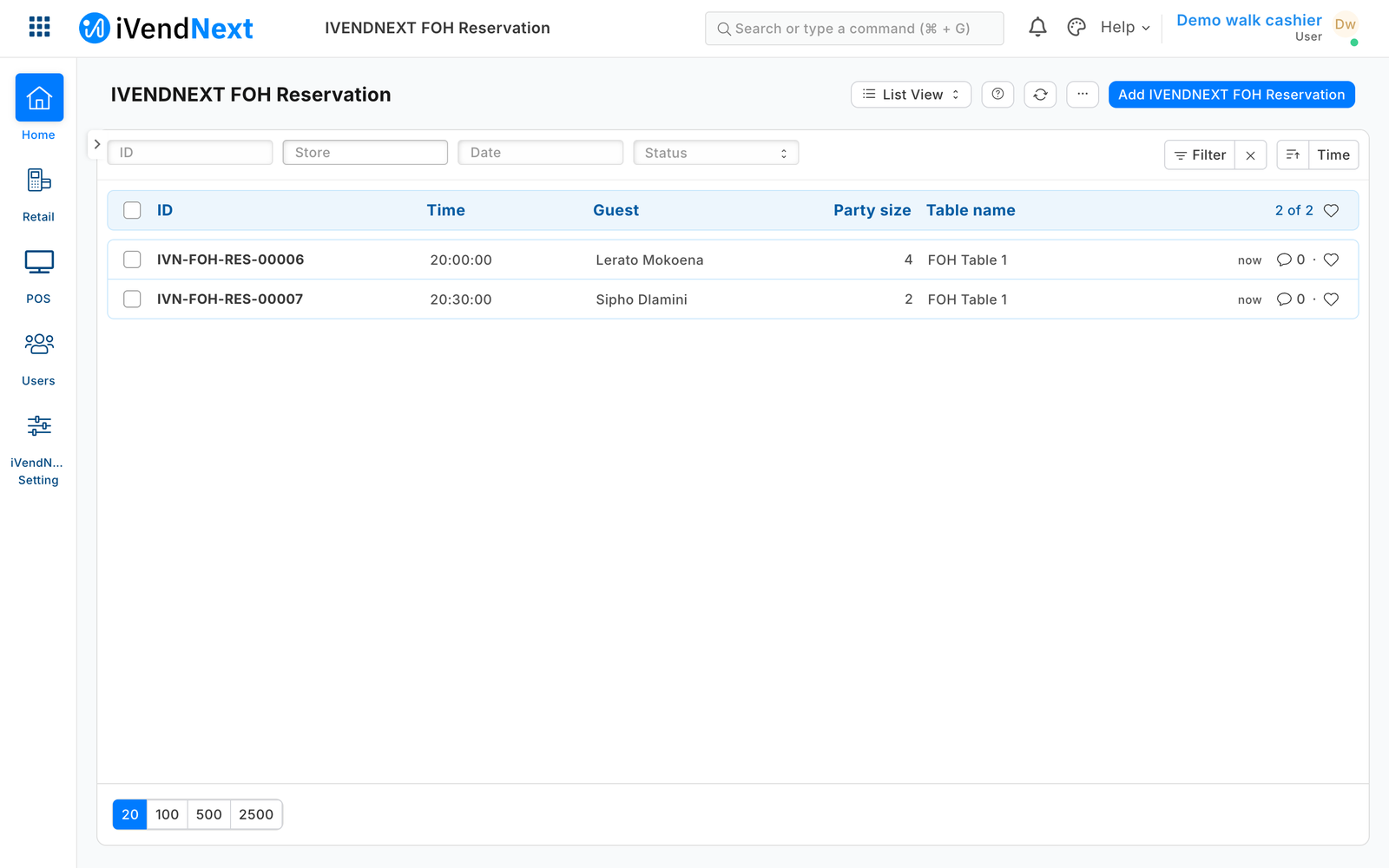 |
| Book: the table held for the party's stay | 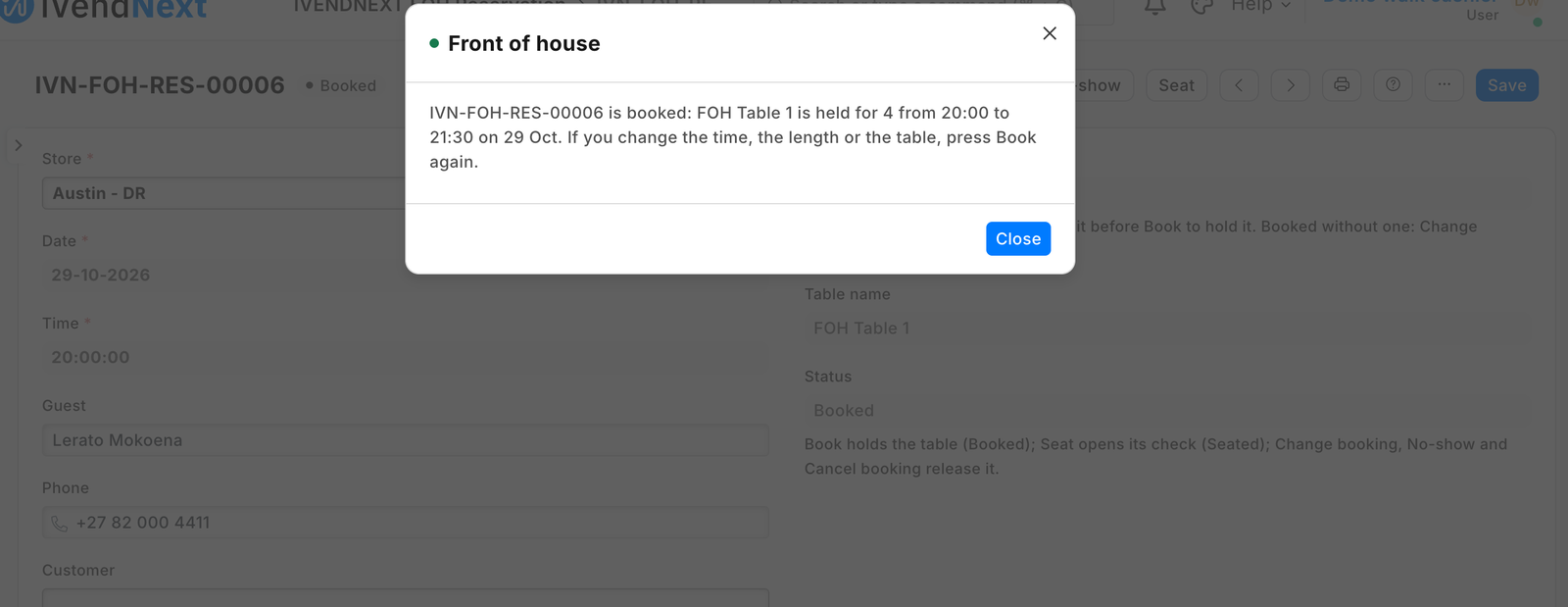 |
| A second booking for that table at 20:30, refused, naming the first | 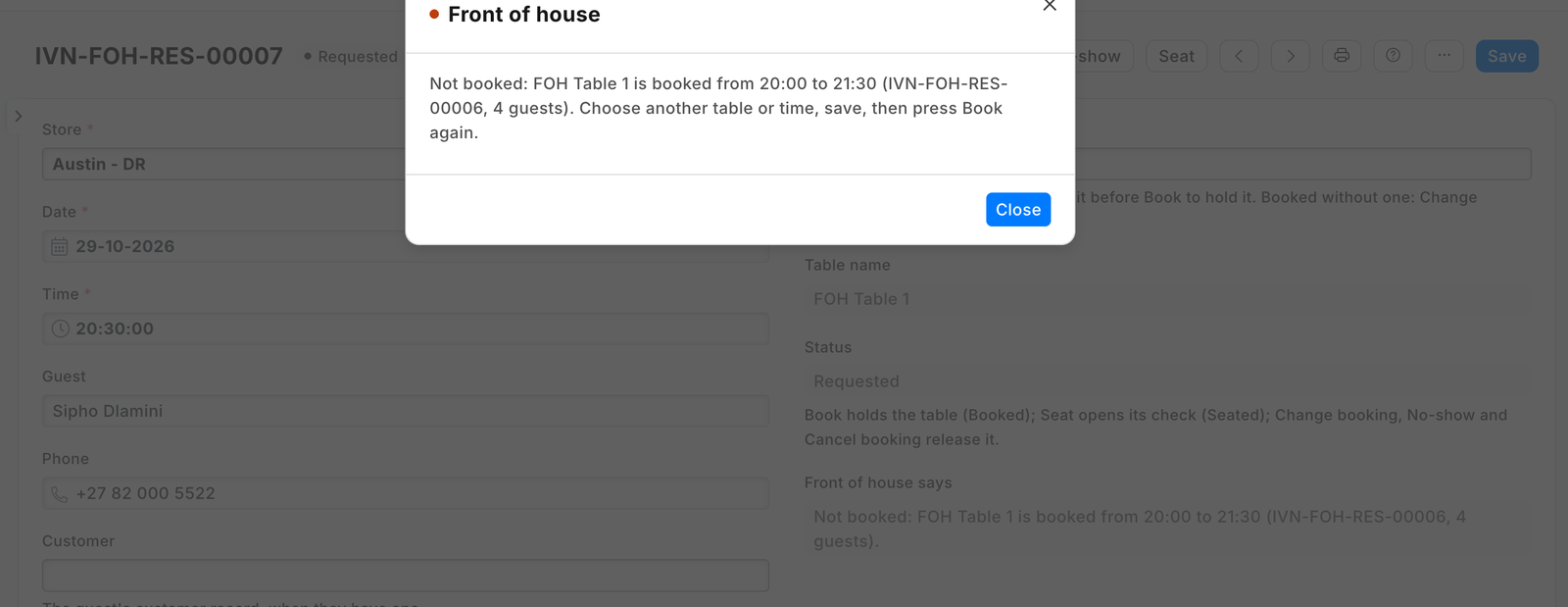 |
| Seat: the booking seated, its check open on the till for 4 guests | 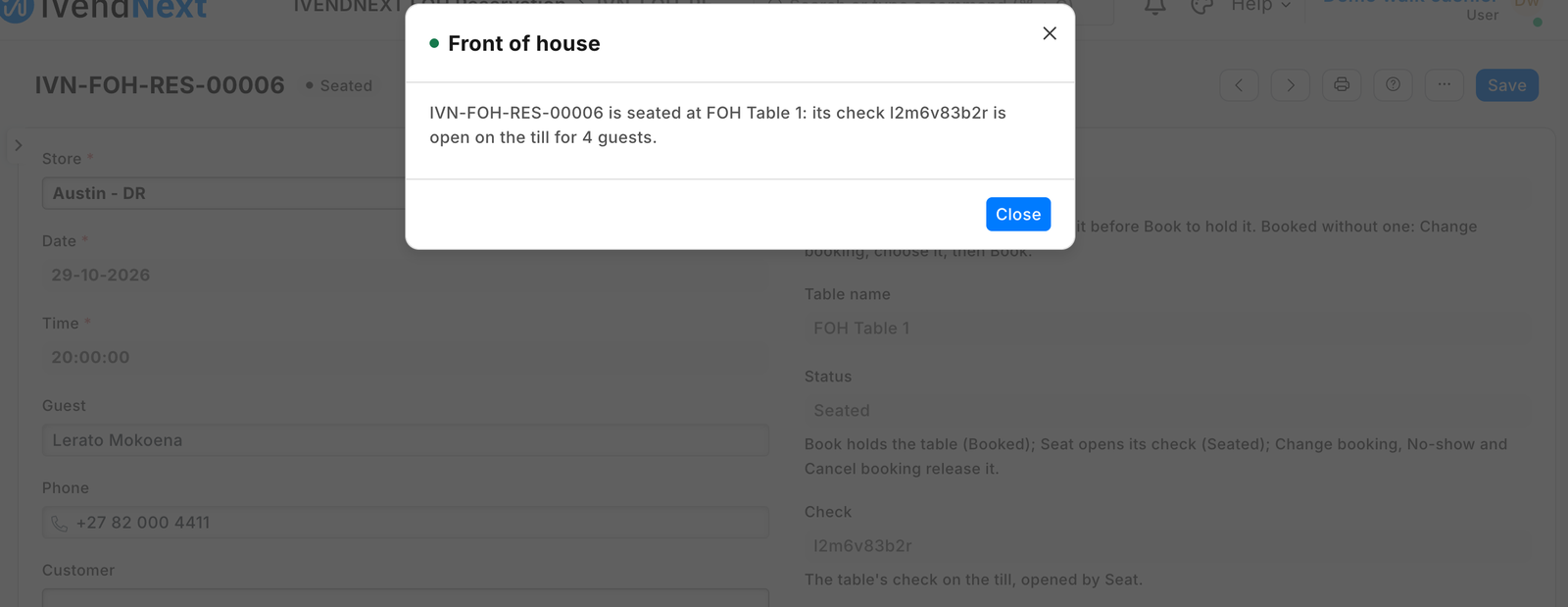 |
| The till's floor on a counter screen: the table seated for 4, the other free | 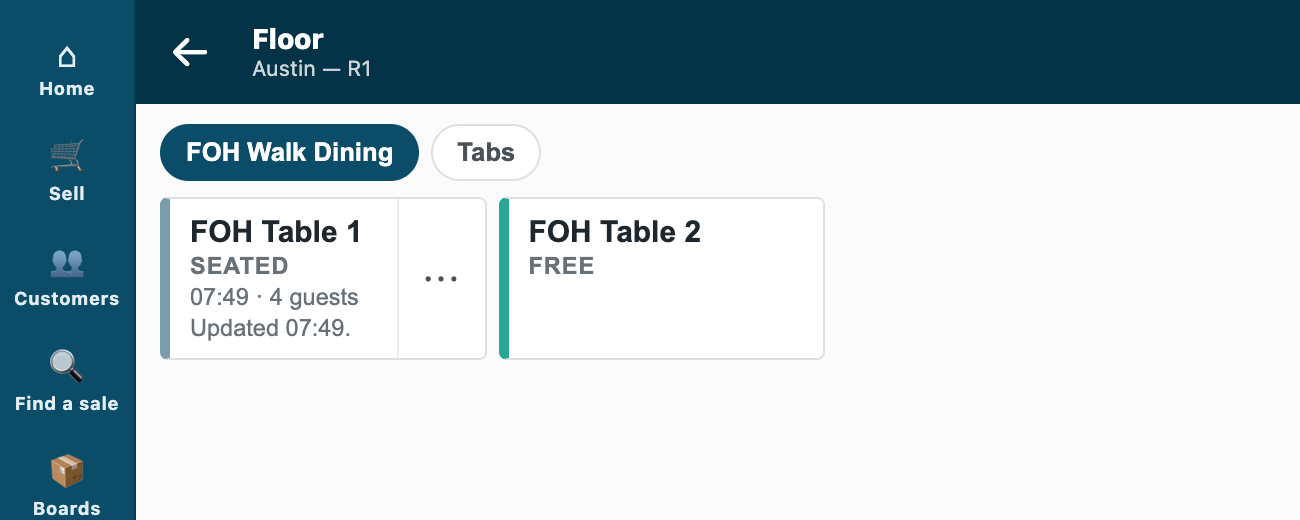 |
| The same floor on a phone | 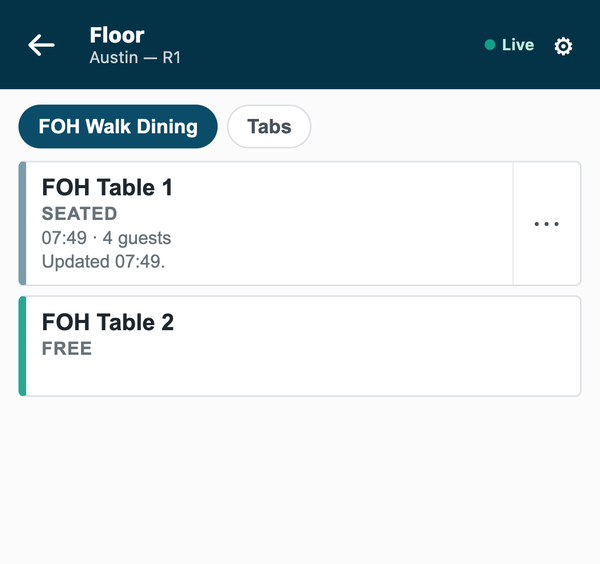 |
A deposit. A booking that took a deposit names the sale that took it: the cashier takes it at the till as the guest's advance (Customers, Take a payment), and the host picks that sale on the reservation, which shows its amount. By default a guest who already owes on account has that settled first and only the rest becomes the deposit; the cashier can set those bills aside to keep it all as the deposit. The deposit stays on the guest's money on file: nothing applies it when the table pays. So at the table's payment the cashier puts the guest on the sale and charges the deposit's part to the guest's account (the till's On account: the cashier needs take a payment on account in their Retail Permission, and the guest a buyer tax registration where your market asks for one), the rest as usual; when the day closes the sale joins the guest's invoice, and the retailer's accountant allocates the deposit's Payment Entry to that invoice in Payment Reconciliation. A kept no-show deposit is booked to income from the same unallocated entry; a returned one is paid back from it.
The diary is the reservation list: set its Date filter to the day (Desk remembers it) and it lists that day's bookings by time.
Bounds, said plainly.
- The guard runs when Book and Seat are pressed. Once Booked, the form keeps the time, the length and the table read-only; a change made another way (the list's Actions, Edit, or the API) is checked only when Book or Seat is pressed again.
- A booking with no table chosen is Booked with no table held: Change booking, choose the table, then Book.
- A Seat whose answer was lost keeps its key: No-show, Cancel booking and Change booking wait until Seat is pressed again and finds the check.
- Nothing marks a booking late or a no-show by itself: the host presses No-show.
- At a table the till's floor names a check by its place, so the booking's number and deposit on the check's label are read on the check, not the floor tile.
- A check moved or merged at a till after Seat keeps its old number on the reservation.
- The app opens checks and reads the floor, nothing more: it never adds a dish, moves, closes or prints a check (those are a person's decisions, at a till).
- No reminder before a booking: the retailer's own Notification can add one.
- Opening a check needs a connection; nothing here works offline.
- A Seat whose answer was lost and whose retry the till then refuses for the app's user's assignment keeps its key until the assignment is fixed and Seat pressed again; a System Manager can clear Seat key on the form if the register is gone for good.
- A waiting party set to Seated by hand opens no check: use Seat.
- The deposit's path was walked with the whole bill put on the guest's account; charging only the deposit's part on account beside a card (a split payment) is the till's own split and was not walked with this app.
- Times are the site's: a chain whose stores sit in different time zones on one site sees each booking at the site's time.
- Before removing the app, pay or close every check it opened: the uninstall removes the app's own user, and a check that user opened can then no longer be changed at a till (reported to the POS board).
What the retailer does to set it up
Before you install: every host.docker.internal address in manifest.json (in allowed_urls, and in each service) is our test bench's own address for the sample's service, and it resolves only where Docker provides it. Replace it with your own service's address first, or iVendNext's calls never reach your service; if this manifest is already installed, raise its version and install it again.
- Install
manifest.json(the retailer's administrator, on the install screen; on your sandbox,tools/deploy/deploy.py). It addsPP FOH Settingsand its tablePP FOH Store,PP FOH Reservation,PP FOH Waitlist Entry, the roles PP FOH Host and PP FOH Integration, six buttons and their five services (switched off), and the feed registration PP FOH Front of house feed (leave it off). From POS 2.1.0.667 the install also makes the app's own user,pp_foh@integration.invalid, holding PP FOH Integration alone. - The tables are the till's own floor: Retail Floor Section and its Retail Floor Place records for the store, made in Desk, and Table Service ticked on the store's register (POS Profile).
- The app's user, in this order (User
pp_foh@integration.invalid): keep Is Desk User and tick Is POS User; choose a Shift Profile (any: it never opens a shift); link a Retail Permission with Open Checks: open a check and see the checks, and nothing else; add one row to the store access table: the store and its register (Table Service on); Save; then Generate Keys. Without Is POS User the save drops the store row and every seating is refused "not assigned to this outlet". ⚠ Never give it write on Floor Section: that grants every check verb, comp included. It takes no password and no other role. - Give PP FOH Host to your hosts and managers. Only they (and System Manager) read a guest's details. In Role Permissions Manager, give PP FOH Host Read on Retail Floor Place (so the form shows the table's name) and Select on Warehouse, POS Invoice and Customer: the records a booking links to (without them the host's list is refused; the deposit's amount fills when the booking is saved; the Cannot fetch values box a host sees on picking the deposit sale is expected: do not give hosts Read on every sale).
- Make a PP FOH Settings record for the company: a row per store with the same register the app's user holds there, the usual booking length, whether a table that has an open check may take a second, and the No-show deposit rule.
- In Retail Extension Subscription, open each of the five services, read what it is sent, tick the consent and switch it on; switch the six buttons on in Retail Desk Action. A hosted service is handed the app's user's key by the retailer's site itself; press Connect again on the app's package record if the site could not reach the app, or the key was made after the install.
- Table ready by SMS: with SMS Settings set to your SMS provider, make a Notification on PP FOH Waitlist Entry: Value Change on Status, the condition
doc.status == "Table ready" and doc.phone, channel SMS, the receiver by document fieldphone, and your message ("Your table at … is ready. Please come to the host stand."). A send the provider refuses is written to the Error Log; the record still saves. Remove the Notification before you remove the app.
What leaves the retailer's iVendNext
iVendNext calls nothing outside but the service's own address (allowed_urls), on a press: the pressing user's login and language, and the record's name. The service then reads, as the app's own user: the reservation or waiting party without the guest's fields, the store's bookings of that table around that day (their numbers, times, lengths, party sizes and statuses), the company's settings and the store's floor (floor_status); and writes: the record's status, its note and the check's number, the press stamp on the settings, and one check through the till's door (check_open: the store, its register, the table, the party size, the booking's number). No guest's name, phone, customer or notes; no money.
Run it
python3 -m unittest discover -s samples/s55_front_of_house/tests -p 'test_*.py'   # 67 tests, the service with a stand-in shop
python3 samples/s55_front_of_house/tests/canaries.py                                # each guard turned off: its test goes RED
python3 tools/check/check.py samples/s55_front_of_house                            # the retailer's own install checks
The service: python3 service/app.py service/.env.local for one store (the env file names the app's user's key and the five secrets the install handed back), or as a function on CitiXsys hosting for many (app.json).
Make it your own
What a partner usually changes: the booking length and the deposit's words; a booking platform's link (its bookings written as reservations through the record API); an SMS provider of the retailer's choice (SMS Settings, never the app); a reminder Notification the day before. The prefix the service reads is FOH_PREFIX (IVENDNEXT FOH for the App library's copy), and tools/deploy/copy_records.py moves the settings between sites. The guest's fields keep their roles: a copy that names the app's own role in read_roles sends the guest's data to the service.
Needs this serves
- Our reservations app seats a table and opens its order; guests order from a QR menu or a kiosk onto that order, and the till takes the payment — Ready, with limits (7)
- A restaurant's bookings and walk-ins kept by the host, a table never booked twice, a text when a table is ready, and seating that opens the table's order on the till — Ready, with limits (3)