
S10 — the manager's AI assistant
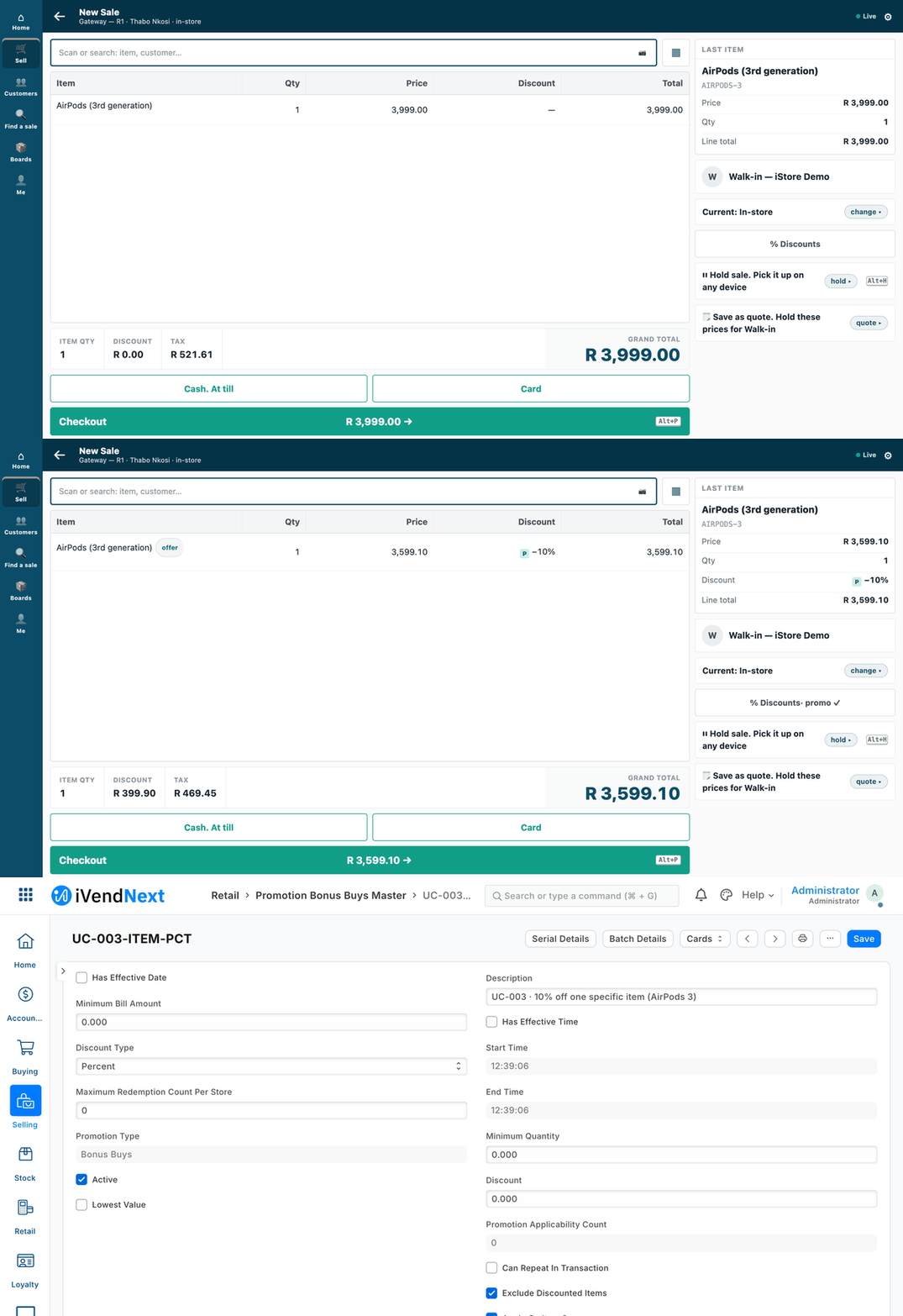
The manager asks the assistant to switch a promotion on and says yes; the till's price drops from R 3,999.00 to R 3,599.10, and the promotion reads Active in Desk.
An AI assistant for a store or area manager, which reads and changes the shop through our MCP server (tools/mcp_server/). This sample is for a developer who wants to put an assistant in front of iVendNext safely: it uses the manager's own key, reads only unless you allow writes, and its assistant is told to ask before every change (the server cannot see a person: see Before you copy it).
When to use it: a manager wants to ask "what sold in the Durban store yesterday?" or say "put the 10% off AirPods promotion on" in plain words.
What happens
- The manager types a sentence.
- The assistant turns it into tool calls on our MCP server, on the manager's own key.
- For a question, it reads and answers.
- For a change, it says what it will do and waits for a yes. Only then does it make the change.
The server is read-only unless the operator starts it with --writes. Recipe: recipes/ai_manager.md.
What it looks like
The conversation, as the scripted assistant ran it, on the manager's own key through our MCP server started with --writes:
MANAGER:   Put the 10% off AirPods promotion on
ASSISTANT: I will switch 'UC-003 · 10% off one specific item (AirPods 3)' on (it is off now). Shall I go ahead?
MANAGER:   yes
ASSISTANT: Done. The shop has saved the change.
| Step | Frame | Screenshot |
|---|---|---|
| 1. Before: AirPods at R 3,999.00 on the till | the till, 1440 wide | 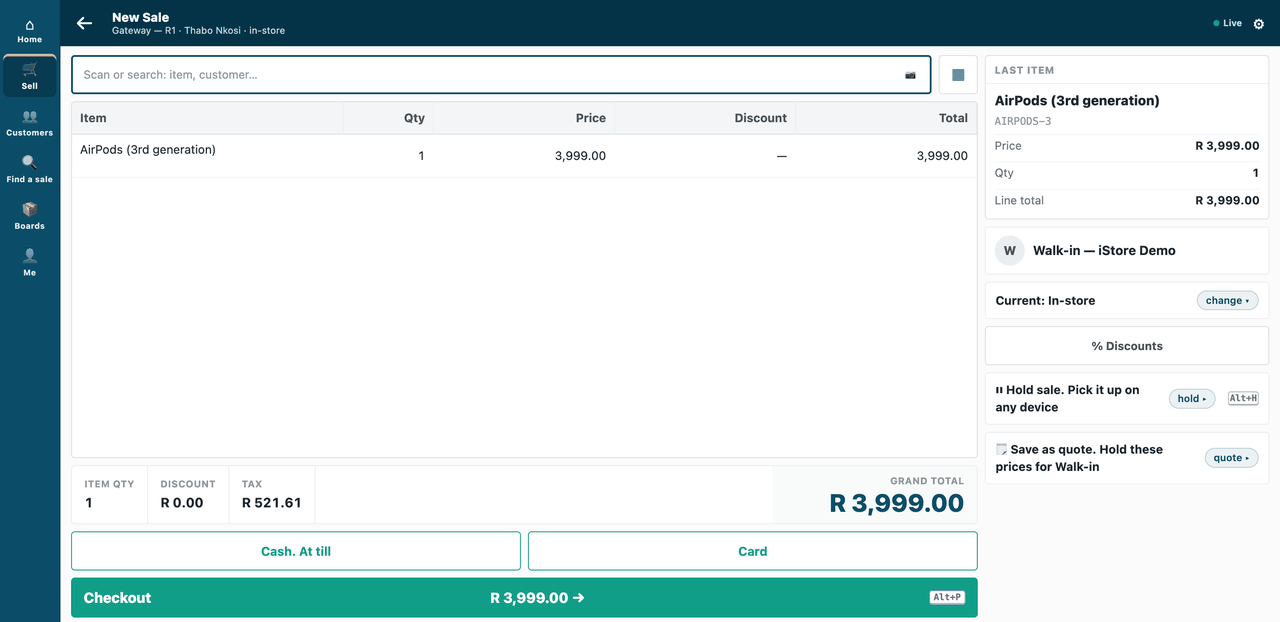 |
| 2. After the yes: the same AirPods at R 3,599.10, the promotion marked on the line | the till | 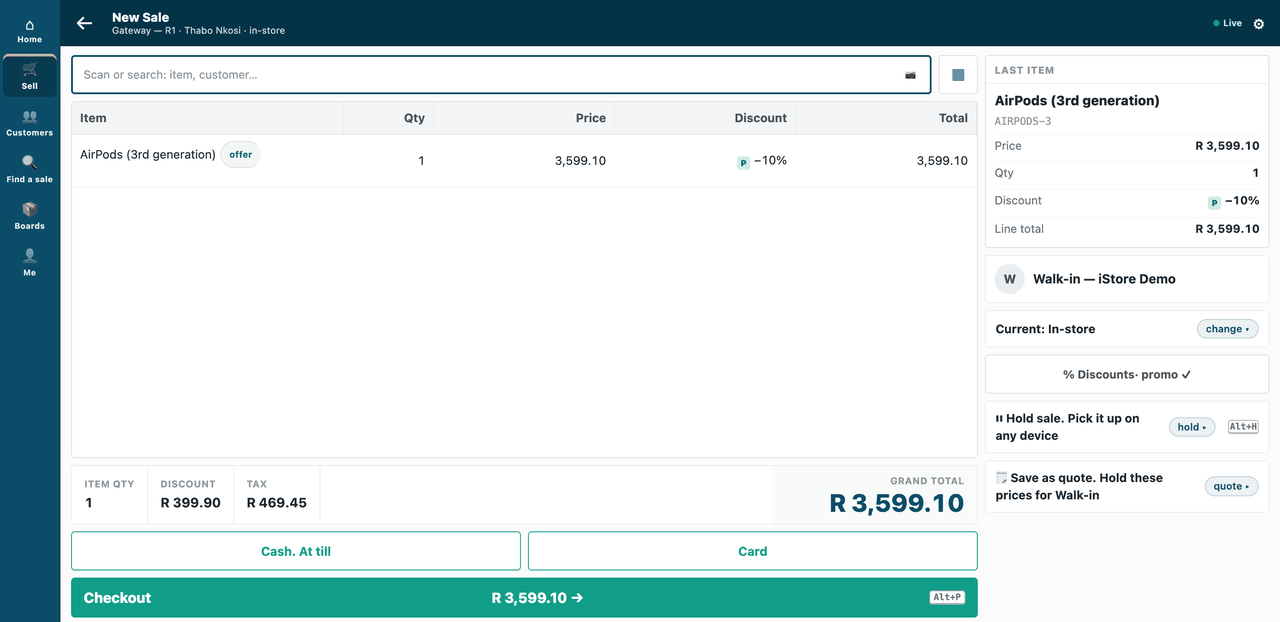 |
| 3. The promotion, Active, in Desk | Desk | 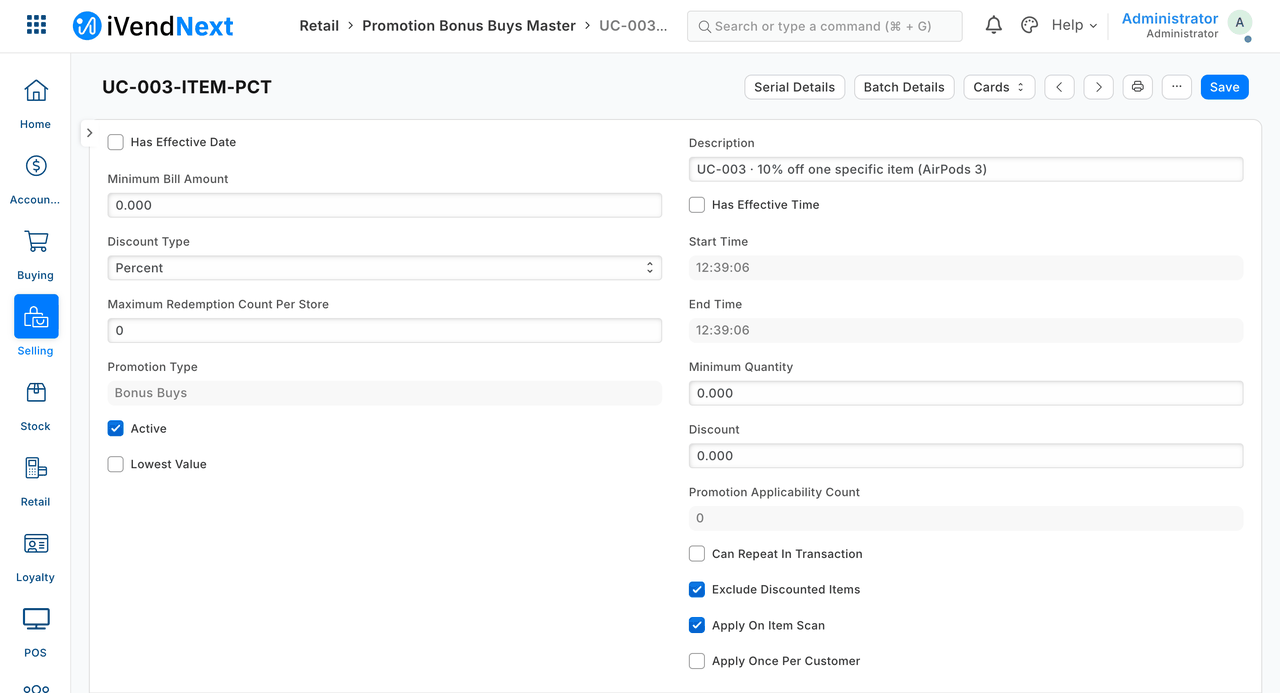 |
The promotion and the item are demo data.
The files
| File | What it is |
|---|---|
profile_read.json |
the read-only profile: 6 tools (with the words the assistant reads for each) and 3 record types |
profile_writes.json |
the same plus one write — switch a promotion on or off, change a price-list row — start with --writes |
assistant.py |
a scripted stand-in for the AI (standard library): the manager's sentence → tool calls → an answer; it asks before it confirms |
tests/test_s10.py |
19 laptop tests against a fake shop, no AI |
Before you copy it
- It needs the server change
--profileintools/mcp_server/server.py. assistant.pyis a scripted stand-in, not an AI. No AI provider is paid for or shipped: bring your own.- "It asks before every change" is the stand-in's behaviour, not the server's.
confirm: trueis the assistant's promise that the manager said yes: the server cannot see a person. Pick an assistant that asks before it calls a tool marked as changing things, and read the audit log. - A price changed through it skips any approval the shop runs (approvals). Where prices need a manager's yes from someone else, leave
Item Priceout of the writes profile.
Technical notes
What was walked, and where
The GIF: frames: the till (/pos?frame=terminal, 1440 wide), then Desk. Walked on our test bench on 2026-10-07, iVendNext POS app at 8dc36aab8. Built from the same screens as the stills; every frame is cut above the till's key row. The conversation is text, above.
The conversation was run by the scripted assistant on our test bench (2026-10-07), on the manager's own key through our MCP server started with --writes.
The promotion and the item are the bench's demo data (UC-003, the iStore demo estate); both baskets were voided, so nothing was sold. The promotion was switched off again by the sample's tear-down.
What was tested
| Where | What |
|---|---|
tests/test_s10.py |
19 laptop tests against a fake shop, no AI |
| (our test bench) | the same flow against a real shop: 25 checks, passed |