
Steps: write, check and install a manifest
Part 1 of 5 · Shipping your own data in a manifest
Back: the overviewNext: More you can add
Steps
-
Choose your prefix. One to three upper-case words (
ACME BINS) and the matching app name (acme_bins);ivn new acme_bins --from s2sets both. Its first word is your company's own first word, so the App library accepts it as yours (Publish your app). A name needs no prefix: only a field you add to one of the retailer's own record types starts with the lower-case prefix (acme_bins_default_bin). -
Write
manifest.json. Set"manifest_version": 2. An app may do anything the retailer's administrator can do in Desk, on the retailer's own record types too. The kinds a manifest may carry:Kind What it is Example (S2) doctypesyour record types; child tables allowed PP BLN Bin,PP BLN Item In Bin, the childPP BLN Bin Movementcustom_fieldsfields on your own types, or on the retailer's, where the field's name starts with your prefix; a field may carry write_rolesandread_roles, so only named roles change or read it (more on this)Item.pp_bln_default_binproperty_settersdisplay changes on a record type or a field, the retailer's own included: relabel, hide or require a field PP BLN Bin.bin_codeboldprint_formatstemplates for your records or the retailer's; a format may declare default_print_language, the language it prints in (a language the site has;arprints right to left)PP BLN Bin Labelnotificationse-mail or in-app alerts on any event of a record that is not one of the till's own; on the till's own records, a reminder before or after a date — workspacesa Desk page with headers and shortcuts PP BLN Binssale_attributesan optional sale detail a till key can fill — webhookssigned calls to addresses you list in allowed_urlsa booked sale → your service The rest of the kinds: the screens, approvals, the feed, the till key and the extension points.
Kind What it is The rules reportsa Report Builder report: columns, filters, order, totals row, roles Report Builder only: a query report (SQL) and a script report (Python) are refused. A report may name a field the same manifest adds, and a workspace may link the manifest's own report: the install makes your fields first and your pages after your reports number_cardsa count, sum, average, minimum or maximum over a record type may name a field the same manifest adds dashboard_chartscount / sum / average over time, or group-by; line, bar, percentage, pie, donut may name a field the same manifest adds dashboardsyour charts and cards on one page — list_settingsthe list view's columns and counters any record type, the retailer's as well as your own; an entry with no fieldsleaves the list's columns as Desk makes themworkflowsstates, transitions, the role per transition, a field set on entering a state (approvals by workflow) any record type but the till's own records. A state may submit or cancel ( doc_status), a transition may carry acondition, and the mail goes assend_email_alertsays;update_fieldwrites only your own field. Missing states and actions are made, and removed again at uninstall unless another workflow uses them. Sample S11 is onenaming_rulesa numbering rule (prefix + digits, optional conditions) anything but the sale's own records (POS Invoice, Sales Invoice, the day's opening and closing, the merge log), which the retailer's series and its tax authority read linksthe Connections panel: your records listed under an iVendNext record (e.g. claims under a Customer) link_fieldnameis a Link on your record type pointing at that record typeregistered_applicationsyour service's event-feed registration ( recipes/event_feed.md)one per app: every record type your service follows goes in its events; its description holds at most 140 characters. The install makes your app's own user,<app>@integration.invalid(API only, one role<PREFIX> Integration), and names it on the feed as the user your service reads as (the event feed recipe, step 1, says how its key reaches you and the licence bound). At uninstall its queue rows go with itremote_keysyour remote till key (the till calls your service) on every store's till from the install, just before the till's last key; a store moves or hides it in the Designer (POS Studio > Apps). httpsonly, an address you list; time to answer 3 seconds unless raised, at most 10 (the till key page)extension_subscriptionsyour service for one extension point: desk_action,page,check,capture,doccheck,fulfil,price(a module's service only) orpayer(label 1–40,httpsaddress you list,timeout_secondsat most 10: a scan or quantity-change capture at most 3, a payer at most 5; a page'spage_…settings and roles); a module's service hastransport: "wasm"and no address (more on this)on from the install, under its one consent, for every store; a payer stays off until the retailer names its clearing mode. The install makes the secret ( <app>:sub:<key>). Each extension point's settings are in chapter 7 (a payer'sclearing_modeis the retailer's, refused in a manifest)desk_actionsa button on a Desk record (roles, when it shows, its inputs, send_fields) answered by one of yourdesk_actionsubscriptions (service= itskey)a service the manifest does not install is refused, and so is the role GuestorAllsave_rulesa rule checked on every save of a record type, the retailer's own or yours (the ten kinds and their keys: the save rules page) on from the install; a role rule stays off until the retailer names the role, and "enabled": 0keeps any rule off. No markup in the message; on a sale the product lets a rule only flag; rules run insequenceorder; a rule may name only a field that exists at install (a workflow in the same manifest is made first, so a rule may read itsworkflow_state)fiscal_readersone outside fiscal service's result on the sale: your result fields at their own permission level, the status map, the writer role and its users stays switched off until the retailer sets it up; no API key is made (the retailer makes it). The steps the retailer takes are in guide chapter 7 extension_modules(sandboxed modules)a module we certified, for the check before payment or pricing, run by an extension_subscriptionsservice withtransport: "wasm"manifest_version2; one module per partner and extension point; a module version is used once on a site; the fields and the rest of the rules: chapter 7. The retailer's administrator can still add a module in Desk instead; a package is refused where the retailer already added a module of yours at that extension pointlabel_layoutsthe label the till prints for an item or a basket line: HTML, or Zebra printer commands ( zpl) for a counter's label printer, with placeholders from a closed list (the label layout page)manifest_version2; kindhtmlorzpl; placeholders from the list only, no code and no scripts; also up to three of the item's own fields,{item.<fieldname>}(each a Data, Select, Int or Check field every role reads), and one line detail,{detail.<attribute>}; azpltemplate starts with^XA, ends with^XZand draws its barcode over{barcode}, not{barcode_svg}; label stock 10 to 150 mm, 1 to 10 labels per rowlist_marksa coloured label on a row of a Desk list, when the row's values say so (the list mark page) manifest_version2; display onlyscan_sourcesa table of the retailer's own unit codes that the till's scan reads (the scan source page) manifest_version2; nothing leaves the retailer's iVendNextregister_booksthe books of a regulated-stock register (a controlled-drug register, a liquor or duty-free book), declared as data: one Retail Register Book per book manifest_version2; installed on or off as each book declares; every name a book reads must exist on the site, or the install is refused; an update cannot change a book (ship a corrected one under a new id); a book with lines is kept, switched off, at uninstall; the register stores are the retailer's own setup, never the manifest's (the regulated register recipe, the register books page)field_rulesrows on a till theme the retailer already has: a till screen, a field, and hide, relabel, require or show no switch: a rule that requires a field holds at once, the others reach each till at its next start; showoncustomer_createasks for up to three of the retailer's own Customer fields (an ID number, a date of birth) on the new-customer sheet and the till's customer edit (Field rules, §7e); to make one required, add a save ruletranslationsyour own words in a language, one entry per language (the install page, Words in a language) no markup that carries script A retailer's own receipt lines are not a kind: they are the register's Receipt Header and Receipt Footer, two text fields the retailer fills in on its register; a tax authority's QR and seal reach the receipt through fiscal readers (the receipt page).
Everything is on from the moment of install, under the one consent, for every store, apart from the switches the table names. What the retailer does after the install is only what is theirs to decide: give staff the roles, fill a setting only they know.
Each record type lists its permissions by role, including your app's integration role, so your service can read and write its own records. A right a row leaves out is off. The install makes each role your manifest names that the site lacks, with no one in it. A role named with your prefix (
ACME BINS Stock Clerk) is your app's own and goes when no installed app uses it; any other name (PO Approver) is the retailer's from then on and stays at uninstall. A role the retailer already has is used as it is. The retailer's administrator gives each role to the right people, so never tell a retailer to create a role the install makes. Every record type your app makes also gives System Manager every right, unless your manifest gives System Manager its own row at level 0.GuestandAllare refused.What leaves the retailer's iVendNext — nothing the retailer did not grant. A partner sees a retailer's data only through what the retailer grants: the integration key's permissions, the event feed, the remote till key's fixed context. A manifest cannot open another channel:
- a webhook sends only its fixed, thin body (record type, name, event, time); the service reads the record with its own key;
- a print format loads nothing from outside the retailer's iVendNext (an image address can carry data out, so embed images as files or
data:URIs); - a notification goes to the retailer's own people (by role, or by a field of the record), never to an address the manifest names.
Templates that read other retailer data (a receipt reading the company's tax number) are allowed where the output stays with the retailer's staff.
-
Check it yourself, before anyone installs it:
ivn checkEvery refusal names the element and the reason, for example "REFUSED webhooks[0] (PP BLN Hook): a webhook calls an address the manifest lists in allowed_urls: the consent shows the shop each one".
-
Install. On your own sandbox,
ivn try: it asks no key, no plan, no card and no questions. For a customer,ivn publish --to <site>puts it on their shelf and prints the message to send their administrator (Publish your app). The retailer's own administrator installs your app from App library in Desk: from a private shelf they first press Open your shelf and paste the key you sent; then Install, read the summary, tick I agree, Install. The Retail Extension Package screen (paste, Check, Consent and install) does the same by hand. The summary is written by our code from the manifest itself, never from your description of it, and it lists everything your manifest makes or switches on, every outside address, and each print format as a template that runs on the server when printed, able to read, change and send the retailer's data. The install runs as a background job: Queued → Installing → Installed. An app CitiXsys hosts receives its secrets when the site connects to it; for an app you host, each secret (a webhook's, a service's) is shown once to whoever installed, and can be read again on its own record. Before each part works lists only what the retailer still decides.A sample's address is not yours. A kit sample's manifest names a placeholder address for its service, in
allowed_urls, its webhooks, its services and its till keys. An app CitiXsys hosts gets its own address when you publish. On your own server, replace it with your service's address, everywhere it appears in the manifest.The site checks the manifest again, at the check and again when the job runs. It refuses names another app holds and a record type the site lacks. Then it creates everything, and records each element in an install record as it goes. If anything fails half-way, it removes what it made and shows Failed with the reason.
-
Use your records over the record API, like any other type (
recipes/connected_app.md). The bins service writesPP BLN Item In Binwith its movement rows, and the "Where is it?" till key reads it. In Desk: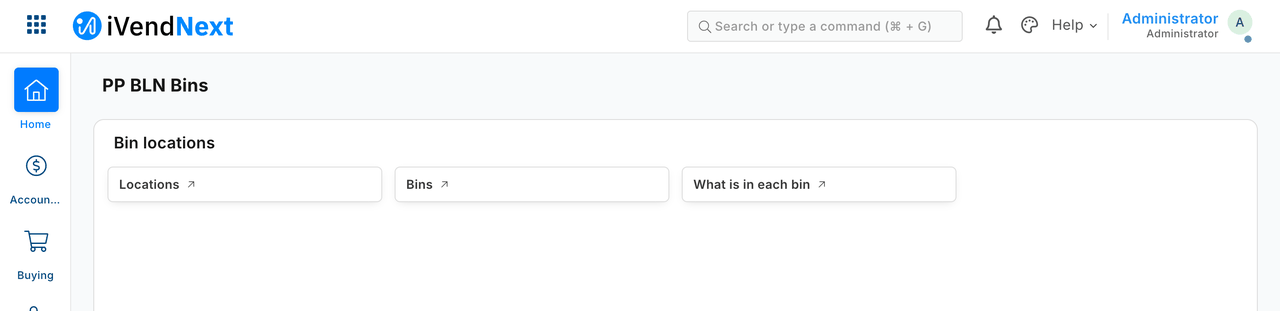
The workspace the manifest installs.
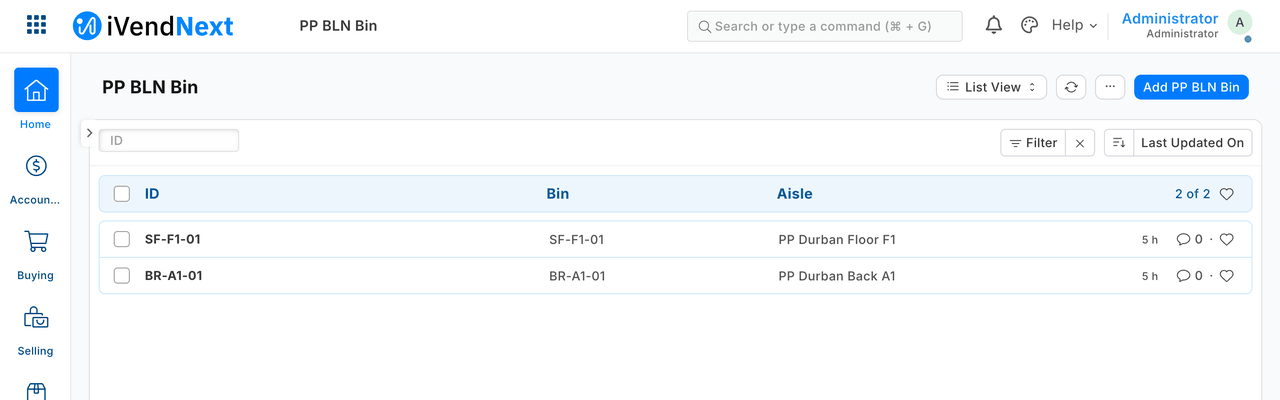
The bins, each on its aisle.
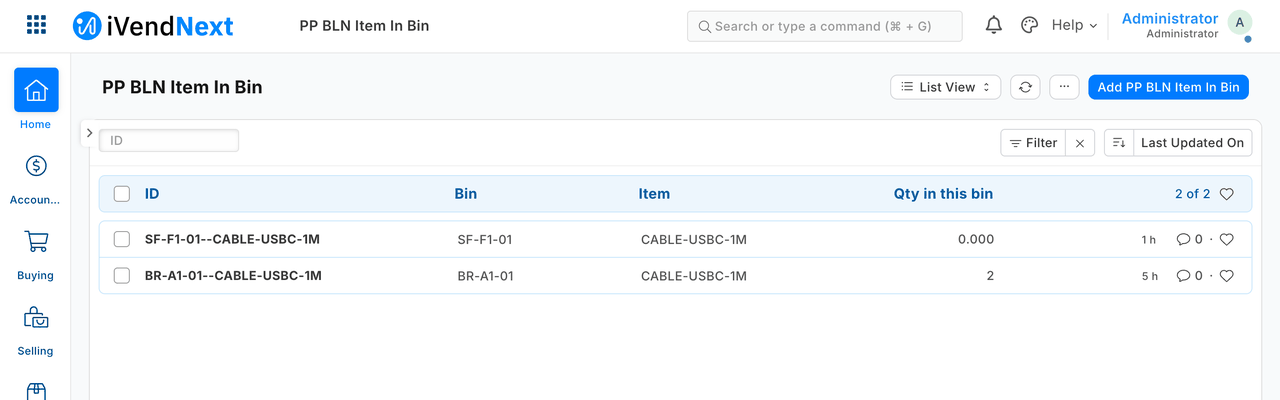
What is in each bin, kept up to date by the service.
-
Update: bring a higher version. Each
ivn tryis a new version, andivn publishsends it. Before the consent, the screen shows what changes from the installed version. An update adds what is new and changes in place what may change; it removes nothing (a dropped webhook, notification, workflow, sale detail or service is switched off and goes at uninstall). An update keeps each rule's switch, and a service the customer stopped stays stopped. A lower or equal version, a dropped or renamed record type or field, a field changing type, or a change to a kind that cannot change in place (a number card, a chart, a dashboard, list settings, a naming rule, a Connections link, an event feed, a fiscal reader, a sale detail) is refused: ship it under a new name. The earlier version's record shows Superseded. To go back,ivn rollback <version>publishes an earlier version's content as a new, higher version.Export, then uninstall. Export and uninstall on the installed version's record first writes every record of your types, with their child rows, and the values of the fields you added to the retailer's records, to a private file on the package, then uninstalls.
-
Uninstall — nothing is left behind. The installer removes everything the install record lists (and that a consented version of your manifest made), newest first: webhooks, workspace, print format, property setters, fields, record types and the module. It also:
- drops your tables and the columns your fields added. iVendNext's own delete of a custom record type keeps its table and rows, and its delete of a custom field keeps the column and its values. With the drops, the site's schema after the uninstall equals the schema before the install, kind by kind;
- removes what the retailer did to your types after install (a field added in Customize Form, a role-permission edit, a default print format), so a later install does not inherit a field whose column is gone.
Two cases it handles in the open. A sale detail that booked sales already use is kept, switched off, since a booked sale must keep its detail; a reinstall switches it back on. If any element cannot be removed, the uninstall says so (it does not report success); Finish on the package completes it. Finish also takes back a job that was killed half-way. Comments and version history on your records are removed with them; the export holds them with the records, so the export is where they are kept. Attachments stay, as files no longer linked to a record.
-
Reinstall — clean. A reinstall gives exactly the first install's schema. None of the old data comes back.